This article explains how facility renters can purchase Facilitron insurance during and after checkout. For assistance with with submitting a reservation request, please see Submitting a Reservation Request. To upload your organization’s existing insurance coverage, see How Do I Upload My Certificate of Insurance (COI)?.
What is Facilitron Insurance?
Facilitron Insurance is a one-time event insurance policy available for facility renters to purchase if they don’t already have their own coverage. It is used to meet the facility owner’s insurance requirements and covers liability related to the event, such as property damage, injuries, etc.
Note: Facilitron Insurance availability varies by state and facility owner organization, and is sometimes unavailable due to the facility owner’s location and/or specific insurance requirements.
Adding Facilitron Insurance During Checkout
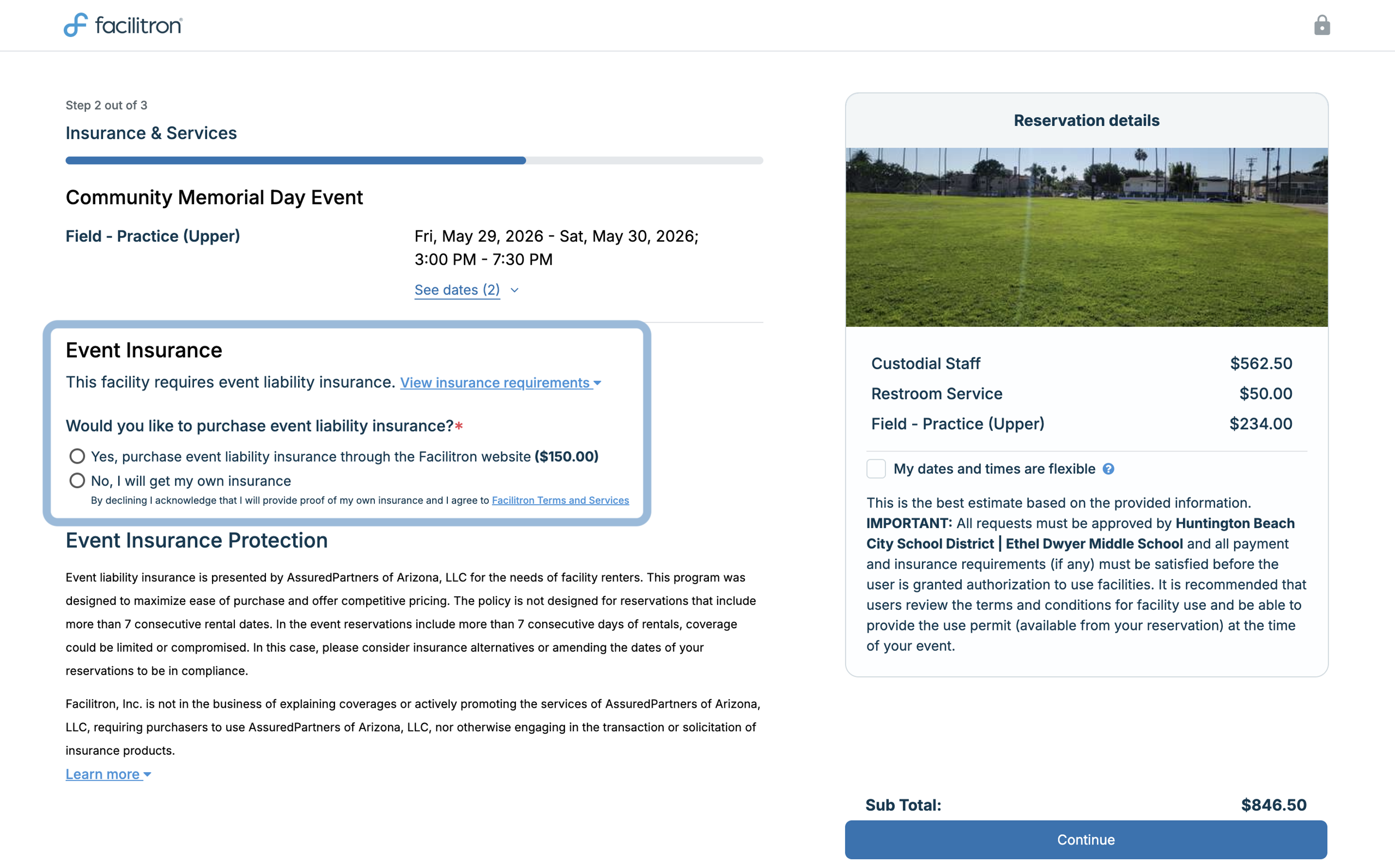
When available, you will see an option to add Facilitron insurance towards the end of the checkout process. In the Event Insurance section (shown below) of the Insurance & Services page, simply select Yes, purchase event liability insurance through the Facilitron website to add Facilitron insurance to your event.
According to the facility owner’s policies, full payment may be due at checkout when Facilitron Insurance is added. Additional application questions from the insurance agency may also be added.
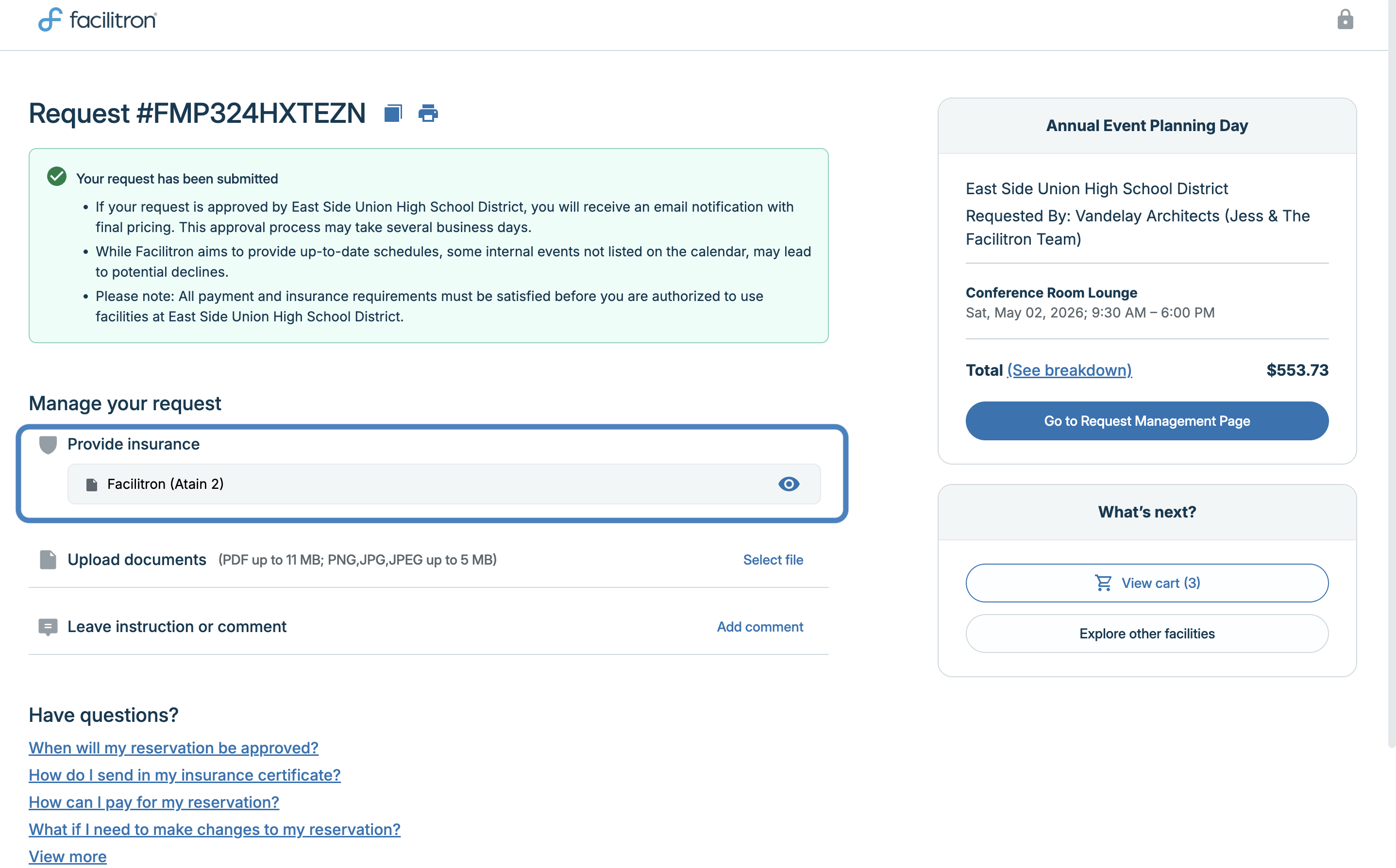
Once purchased, the policy is automatically attached to the reservation and verified. After checkout, you will see that a document is already uploaded in the Provide Insurance section of your confirmation page (shown below). Clicking the eye icon in the right side of this section will take you to the policy documents, which you can save to your device or print for your records.
Adding Facilitron Insurance After Checkout
To add Facilitron Insurance after checkout, log in to your Facilitron account and go to the Insurance page. Click the Buy Insurance button on the right side of the page.
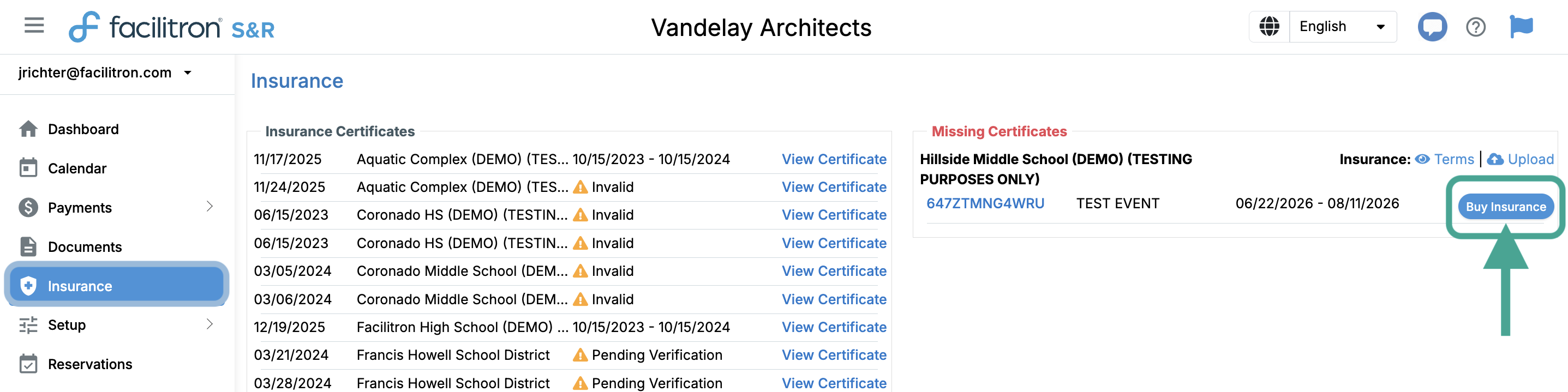
For some policies additional application questions will need to be answered to ensure the event qualifies for Facilitron Insurance, and full payment may be due for the reservation once Facilitron Insurance is added.
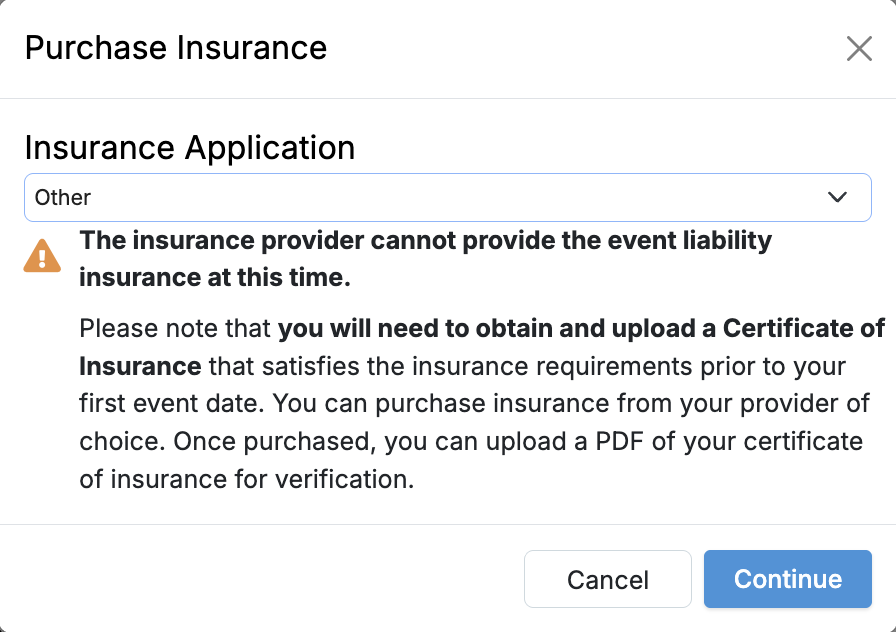
If Facilitron Insurance is unavailable for the reservation, the following modal will open, showing confirmation that Facilitron Insurance is unavailable and a Certificate of Insurance (COI) must be provided.
For additional assistance, please reach out to Facilitron Support at (800) 272-2962, or email us at support@facilitron.com.
Was this article helpful?
That’s Great!
Thank you for your feedback
Sorry! We couldn't be helpful
Thank you for your feedback
Feedback sent
We appreciate your effort and will try to fix the article