This article shows users with a Pre-Approver (PA) or Enhanced Access (EA) role how to cancel a reservation in Facilitron S&R.
How to Cancel a Reservation
Open the reservation you wish to cancel. For assistance with locating a reservation, please see Finding Reservations/Navigating to the Reservation Details Page - Administrators.
On the left side of the Reservation Details page, you’ll see a Cancel Reservation button beneath the Pre-Approver and Setup Instructions sections.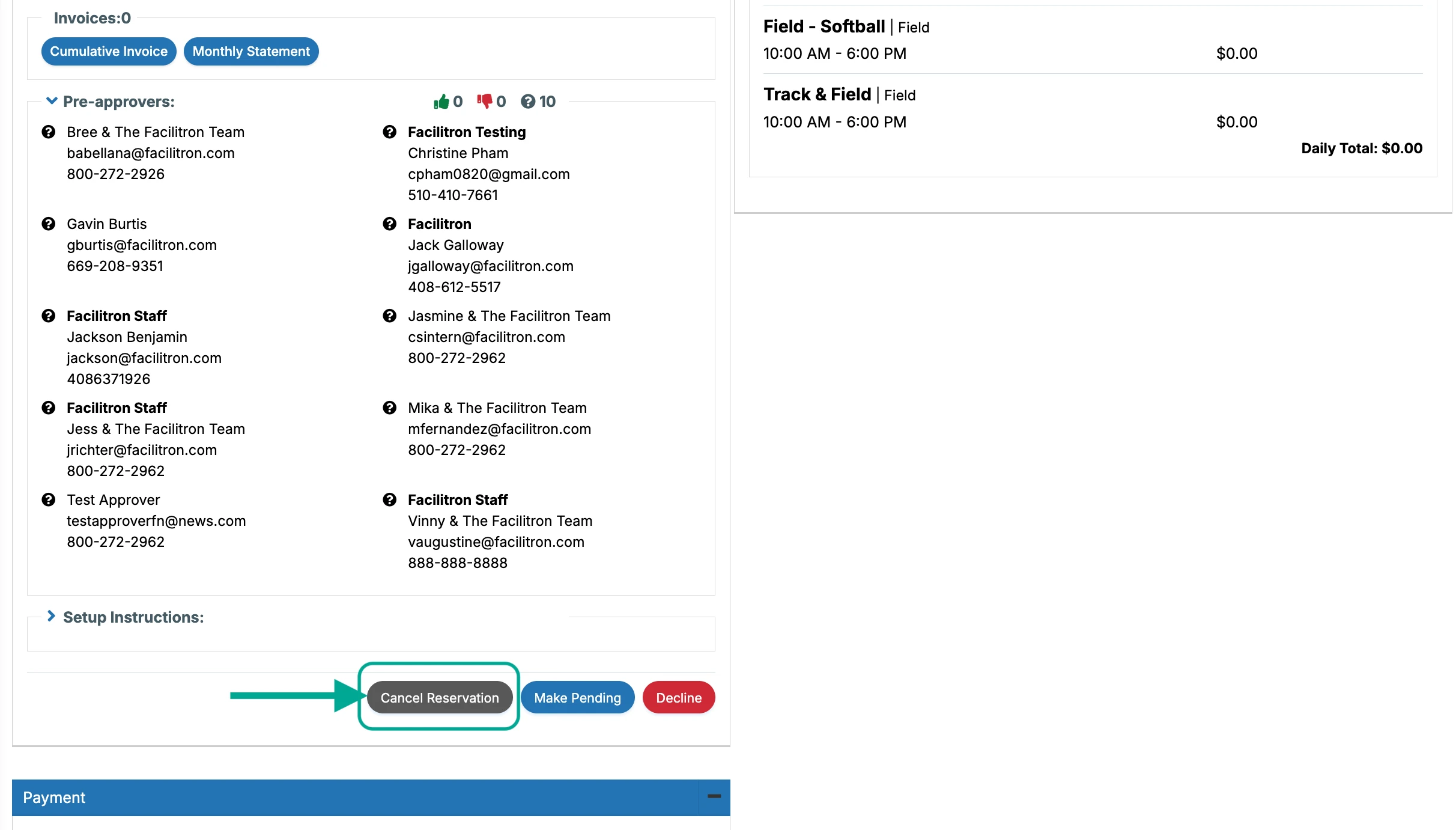
Click Cancel Reservation. You’ll see an option to leave a comment explaining the reason for the cancellation. If you choose to leave a comment, this will be recorded in the Comments section of the page and included in the cancellation email notification to the renter.
Click Submit to complete the cancellation.

Once the reservation has been cancelled, its status will update to Cancelled, and notification emails will be sent to the renter and any administrators who receive reservation status updates for your site.
Additional Notes
- Reservations can be cancelled whether they are currently Pending or Approved, provided your administrator role has permission to cancel reservations.
- After a reservation has been cancelled, the only status it can be changed back to is Pending. It cannot be changed directly back to Approved or Declined.
- If an automated change request (such as a cancellation request, time change, or date change) is currently awaiting review, the reservation cannot be manually cancelled until the change request has been resolved. For assistance with resolving a change request, please see How To Pre-Approve and Approve Automated Change Requests for Reservations.
For additional assistance, please reach out to Facilitron Support at (800) 272-2962, or email us at support@facilitron.com.
Was this article helpful?
That’s Great!
Thank you for your feedback
Sorry! We couldn't be helpful
Thank you for your feedback
Feedback sent
We appreciate your effort and will try to fix the article