Google may automatically add events to your Google Calendar based on emails you receive in Gmail (such as flights, reservations, or appointments). If you’d like to turn off this feature and stop events from being created automatically, follow the steps below.
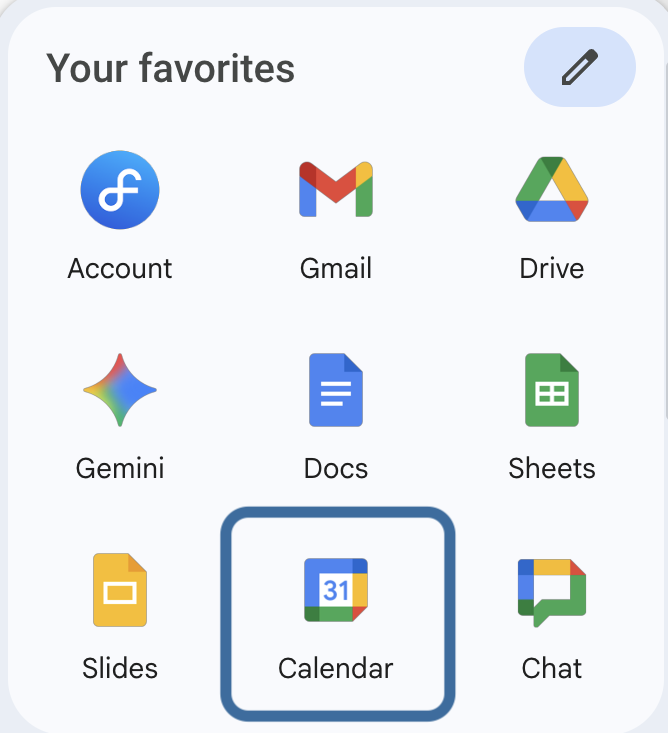
If you’re in your Gmail account, simply click the Apps icon and select Google Calendar.
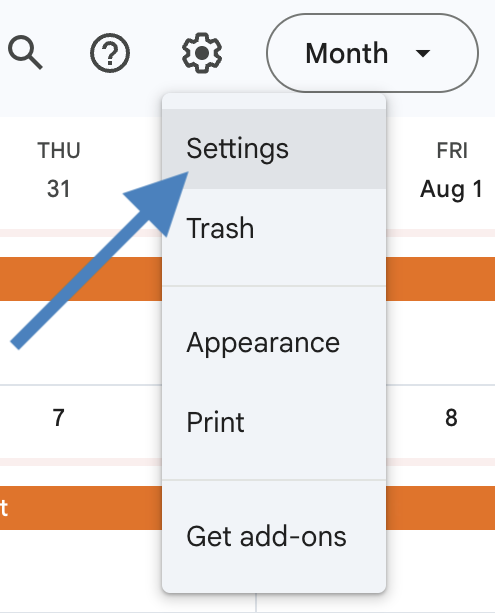
Once you're in Google Calendar, click the settings icon at the top of your screen, then select Settings:
Under General, on the left side menu, click Google Workspace smart features.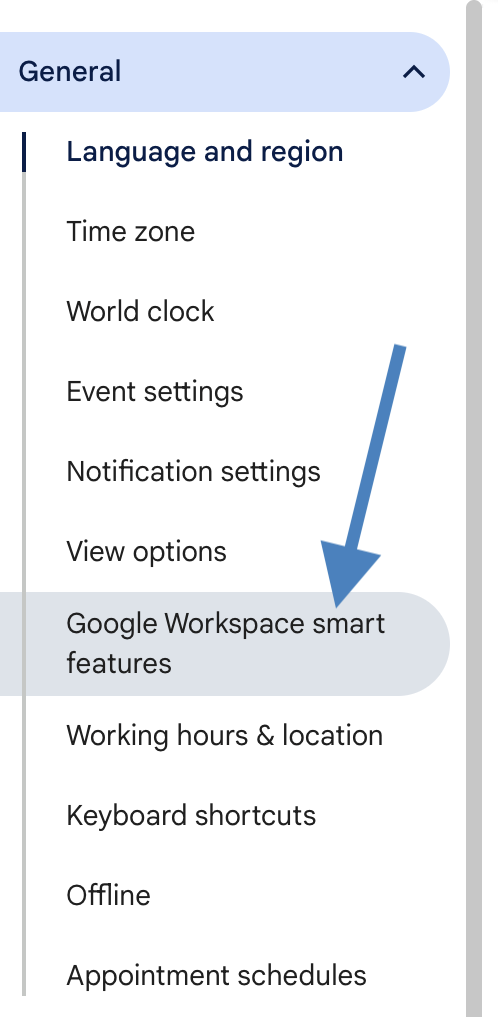
There will be an option to uncheck Show events from Gmail. Uncheck this box to hide events created by Gmail and press OK in the popup.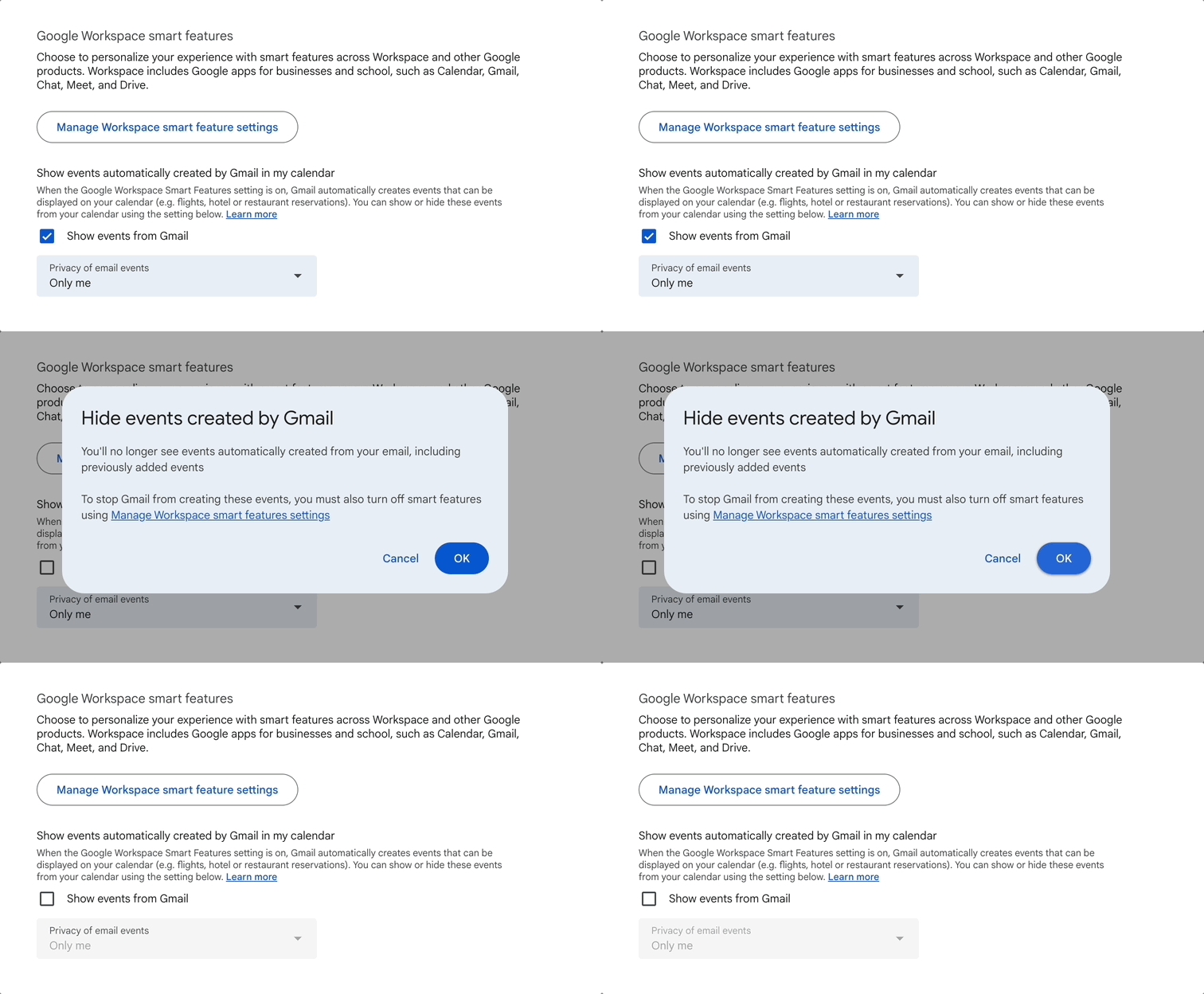
With that, the Facilitron and other emails should no longer trigger reservations to automatically display on Google calendar.
For additional assistance, please reach out to Facilitron Support at (800) 272-2962, or email us at support@facilitron.com.
Was this article helpful?
That’s Great!
Thank you for your feedback
Sorry! We couldn't be helpful
Thank you for your feedback
Feedback sent
We appreciate your effort and will try to fix the article