This article explains how to manage email notification preferences in S&R, including steps to opt in or out. It includes an overview of all notification options and their use. Facilitron automatically configures notification settings based on your user role, but users can opt in or out of individual notification types anytime.
Accessing Email Notification Settings
Log in to Facilitron and click your name or email address in the upper-left corner.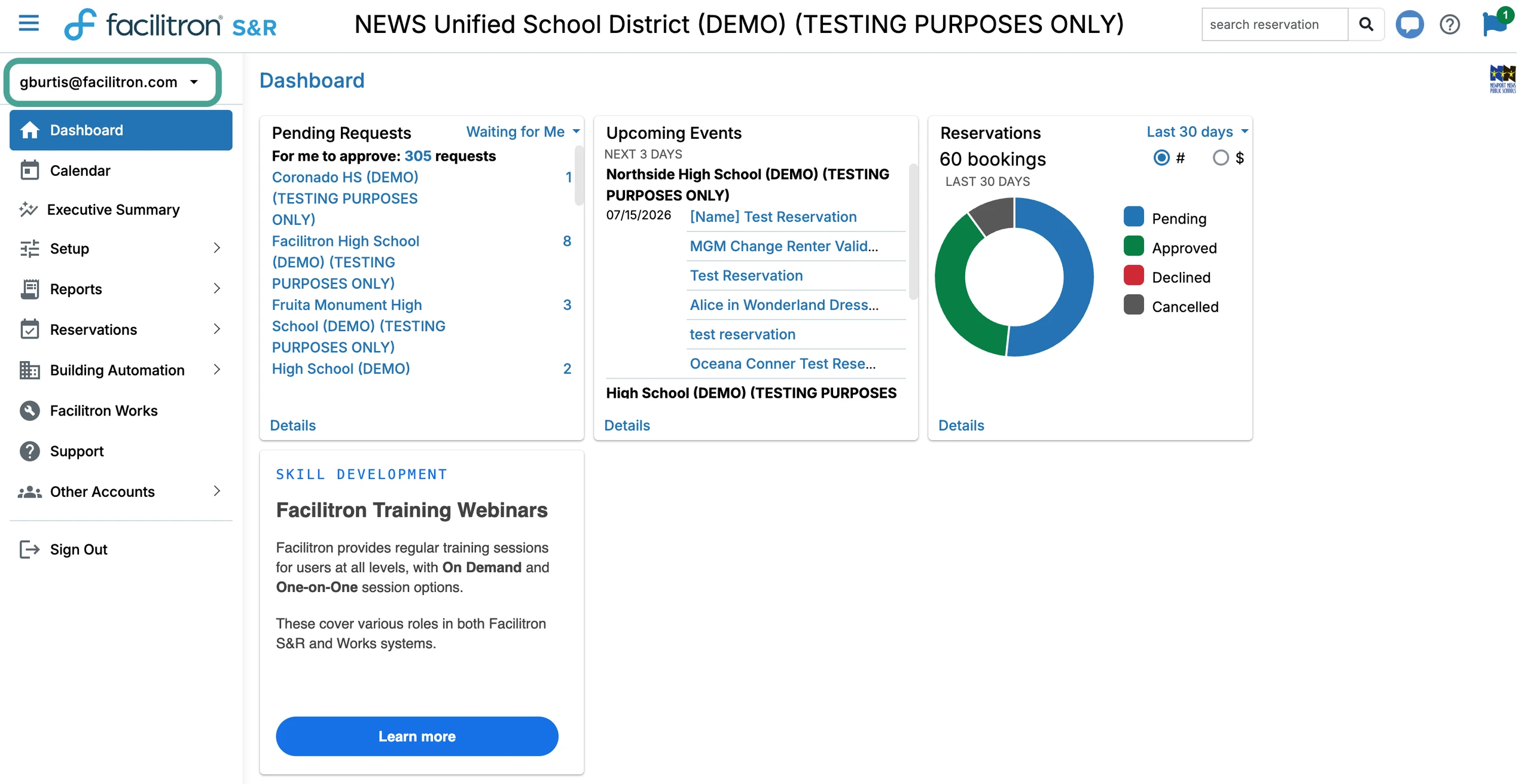
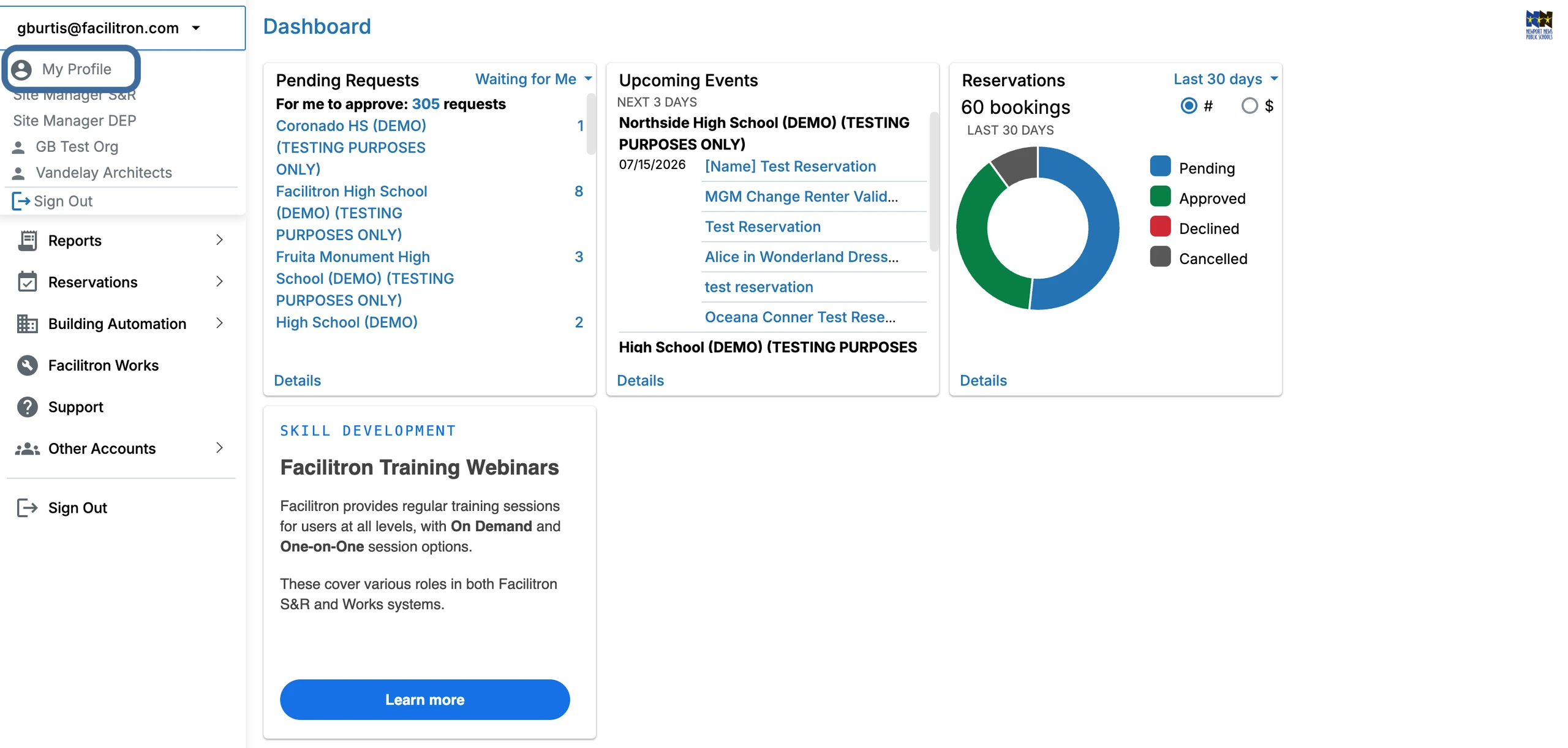
Select My Profile.
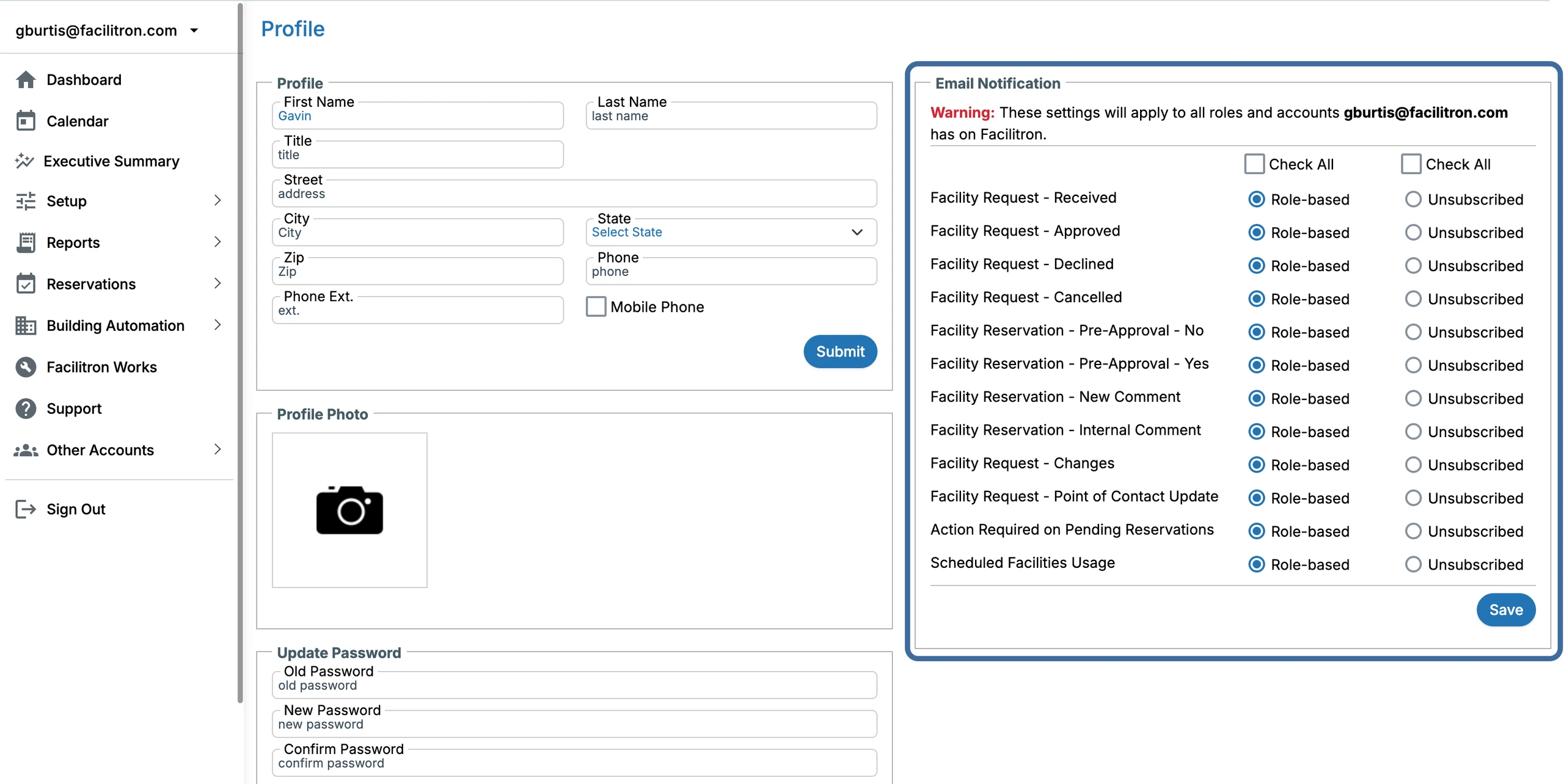
Locate the Email Notifications section on the right side of your profile.
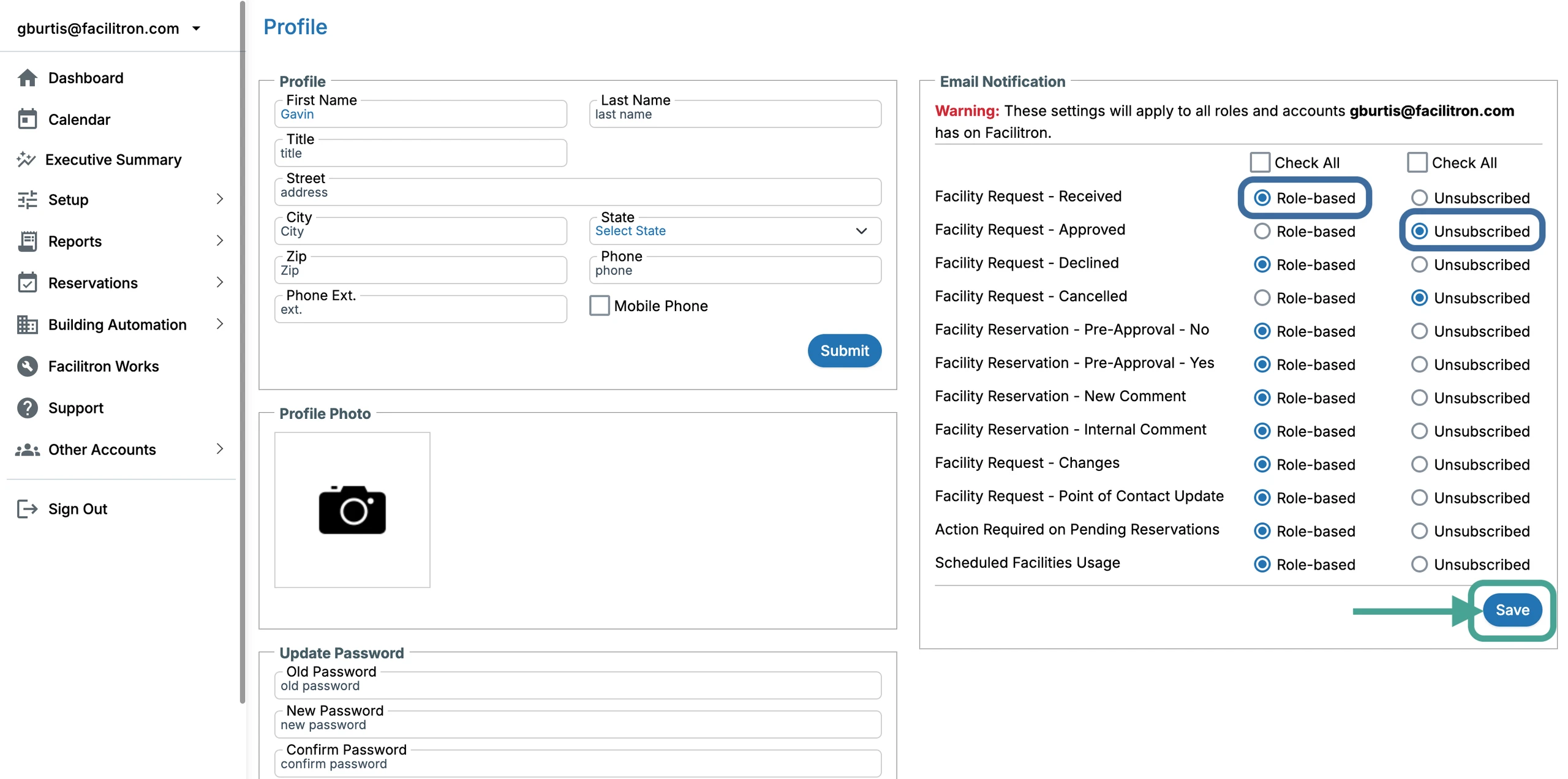
 In the Email Notification section on the right, select Role-based or Unsubscribed to update your suspension email notification preference and press Save.
Notification Types
- Facility Request - Received: An external request for a facility rental has been submitted.
- Facility Request - Approved: A request for a facility rental has been approved.
- Facility Request - Declined: A request for a facility rental has been declined.
- Facility Request - Cancelled: A request for a facility rental has been canceled. Note: cancellations can be prompted by the renter or the district.
- Facility Reservation - Pre-Approval - No: A user with the Pre-approver role declined the facility rental request. Note: Users with a Full Access role have final approval authority.
- Facility Reservation - Pre-Approval - Yes: A user with the Pre-approver role approved the facility rental request. Note: Users with a Full Access role have final approval authority.
- Facility Reservation - New Comment: There is a new comment within the facility reservation thread viewable by all parties.
- Facility Reservation - Internal Comment: There is a new internal comment only viewable by the district and Facilitron.
- Facility Request - Changes: Changes have been made to the facility rental request.
- Facility Request - Point of Contact Update: There is a new point of contact who will receive notifications about changes made to the reservation.
- Action Required on Pending Reservations: Admin required action is needed for a pending reservation to be approved.
- Scheduled Facilities Usage: There is an upcoming facility rental scheduled.
How Do I Receive Renter Suspension Notifications?
When opted in to Facility Request – Changes emails, you'll receive suspension notifications for the facilities you manage. If you've opted out of Facility Request – Changes emails, you won't receive these notifications. Suspension notifications are grouped into one district-level email. This email may include reservations from multiple facilities but is sent only if at least one suspended reservation belongs to a facility you manage. Reservations from other facilities may appear but won't trigger a notification alone.
For more information on suspended reservations, please refer to Reinstating Reservation Dates for Administrators. If you need further assistance, contact Facilitron Support at (800) 272-2962 or email us at support@facilitron.com.
Was this article helpful?
That’s Great!
Thank you for your feedback
Sorry! We couldn't be helpful
Thank you for your feedback
Feedback sent
We appreciate your effort and will try to fix the article