Facilitron WORKS offers two built-in tools to help you find work orders and get answers to your questions quickly and efficiently: AI-assisted Smart Search and Tron AI, our support chatbot.
How Does Smart Search Work?
Smart Search allows you to find work orders using simple, natural language. Simply type a question or phrase in the box where it says Ask AI anything. To search for a work order, enter the last 5 digits of the work order and press enter.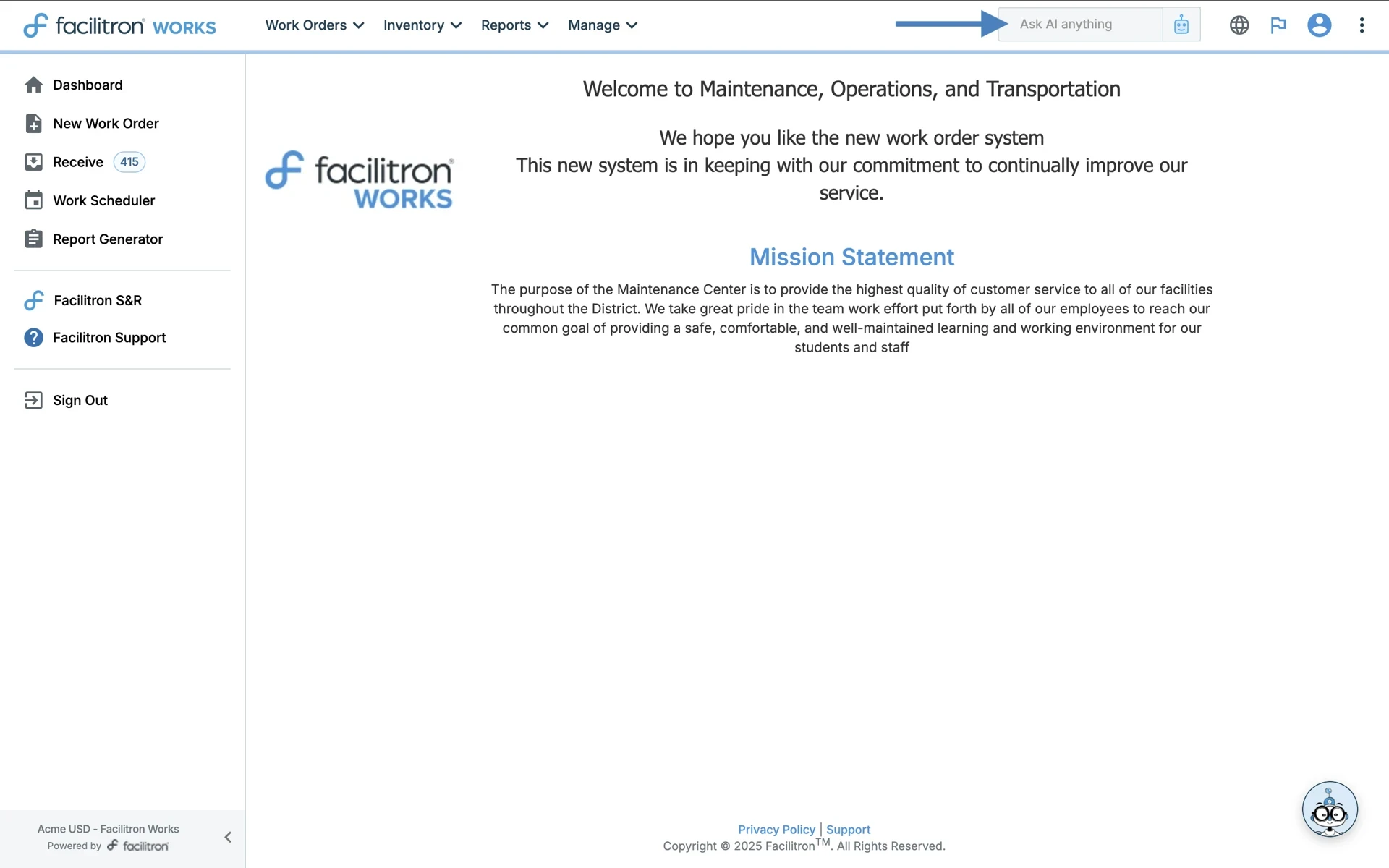
You can also ask other questions, like “How many work orders are for the cafeteria?” or “Help me find work orders from 2022 to 2023 for Bus 200.” You will receive smart suggestions when you type in work order IDs, or be directed to the Advanced Search results page based on the question asked. Here’s what the Advanced Search looks like: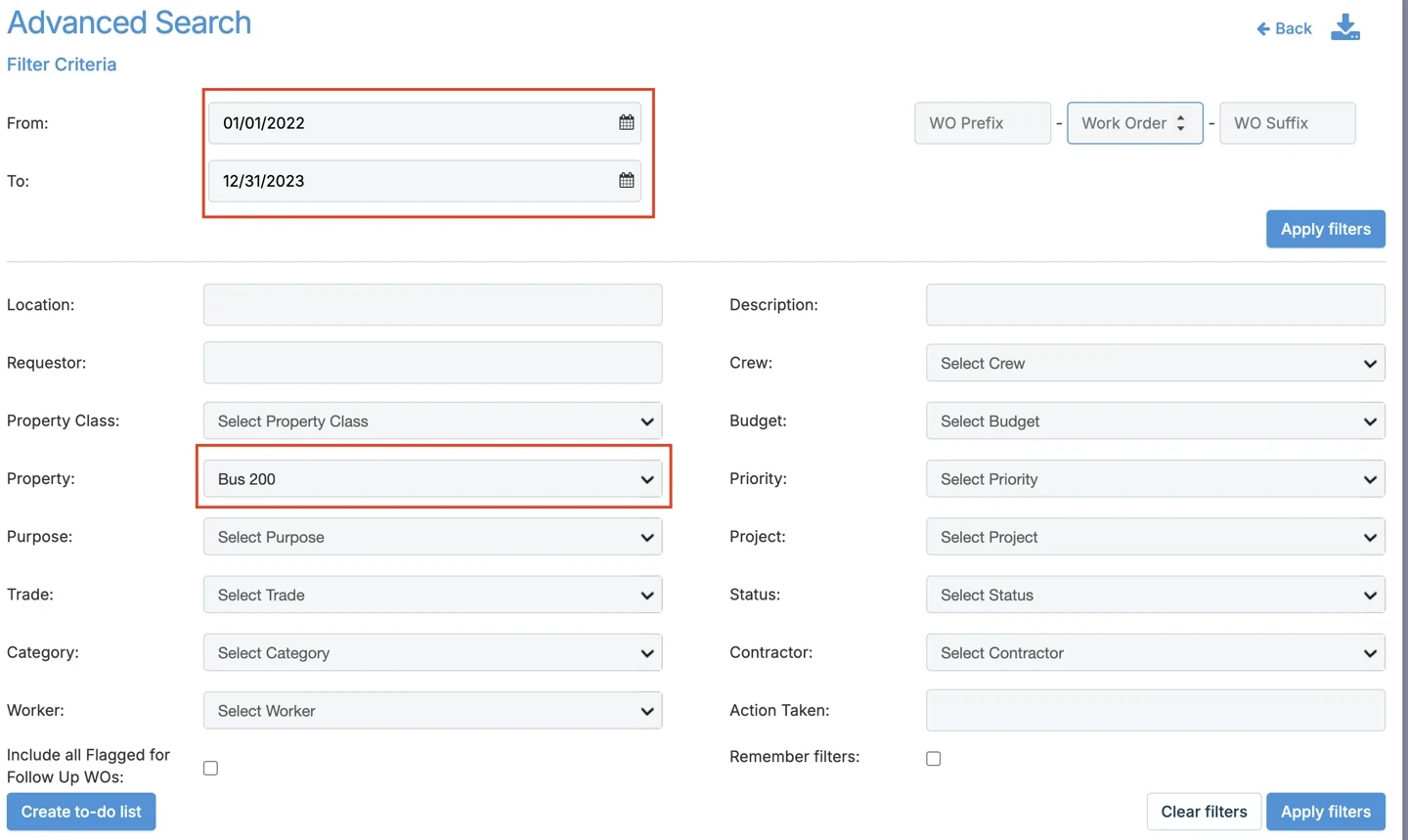
Instead of clicking through filters on the Advanced Search page, just type a question or phrase in the Smart Search box. AI interprets your intent and routes you to the correct results or pre-fills Advanced Search filters for you.
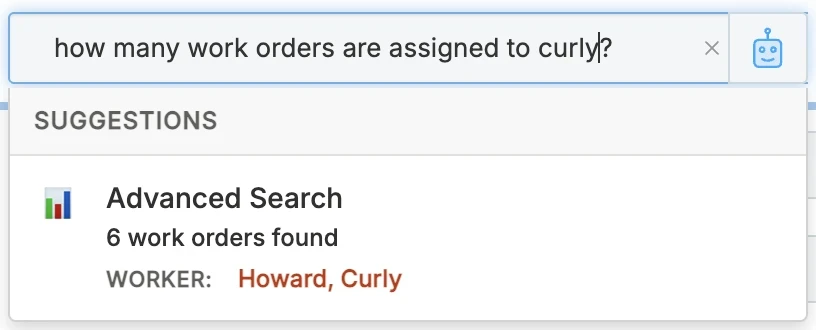
You can also search for work order assignments. For example, "How many work orders are assigned to Curly?"
Tips for Using Smart Search:
- Be specific. Ask clear questions such as "Help me find work orders from 2022 to 2023 for Bus 200” or "How many work orders are for the cafeteria?" for Smart Search to return precise answers.
- Know your role in the system. Smart Search's answers may vary depending on whether you are a maintenance technician, or order approver, processor, or administrator.
- Reach out if needed. If Smart Search isn’t addressing your question, contact Facilitron Support.
Smart Search cannot:
- Access or change personal account information (such as passwords or private data).
- Perform actions directly in Facilitron Works (like creating or closing work orders).
Using the Tron AI Chatbot
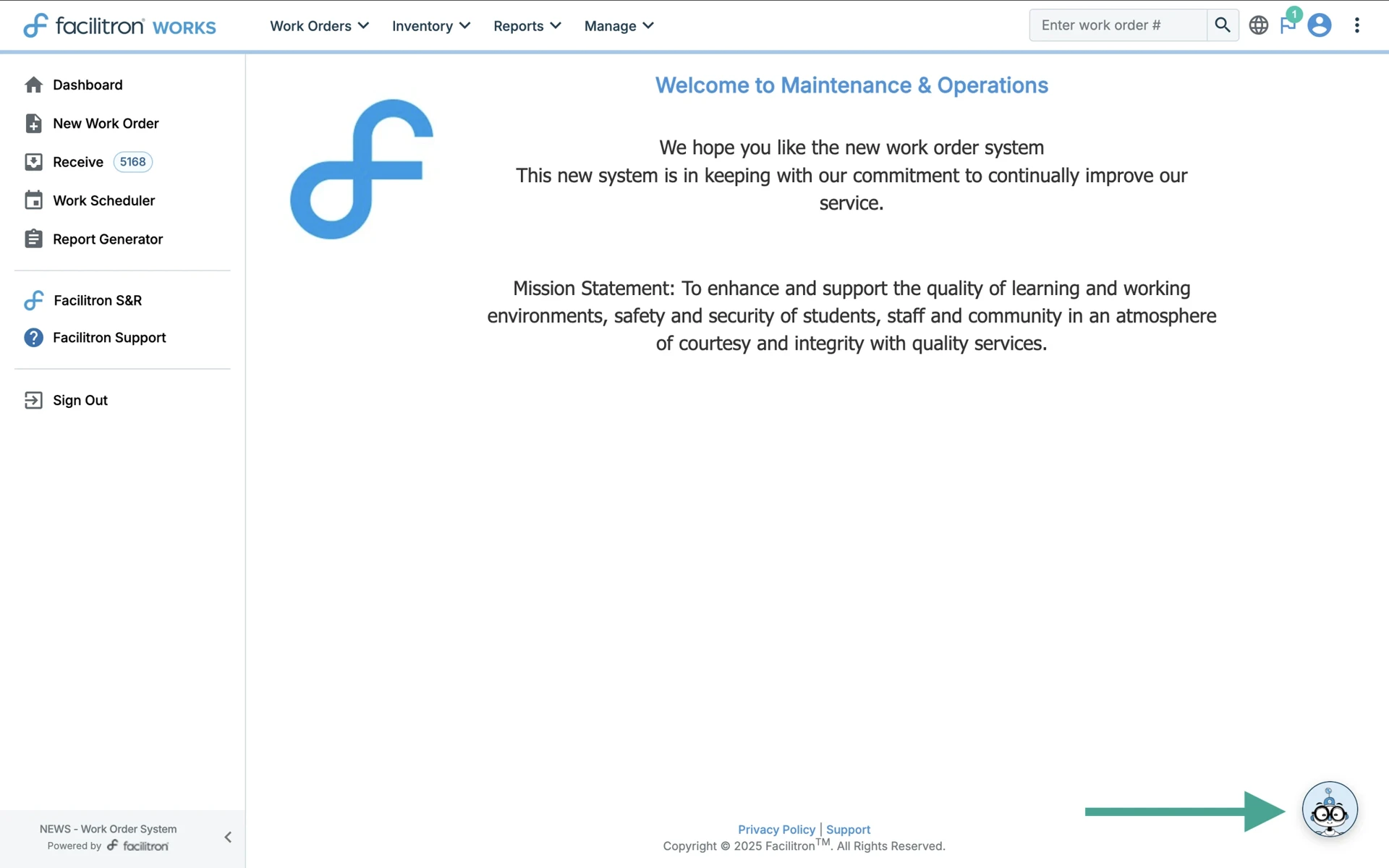
Easily found at the bottom right of your Facilitron WORKS screen, Tron AI is a helpful assistant trained to answer common questions and give step-by-step instructions.
Here are some examples of what Tron AI can help with:
- General work order questions, like how to create, manage, or track work orders
- Questions about work order statuses, priorities, and assignments
- Scheduling and calendar features
- User management (how to add/remove users, permissions, etc.)
- Navigating the Facilitron WORKS dashboard
- Troubleshooting common issues
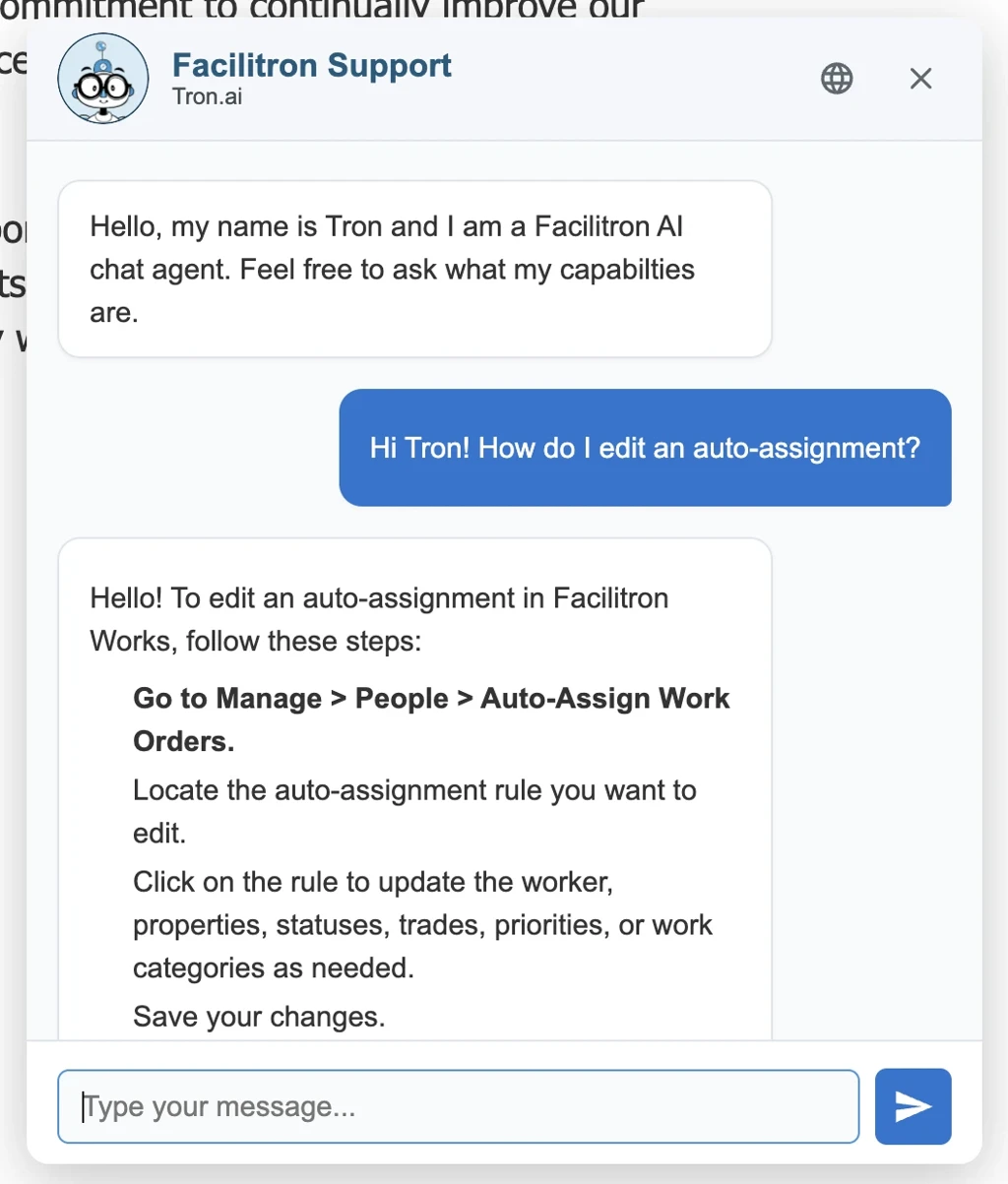
How to Ask Tron AI for Help
Here are some examples of questions Tron AI can answer, followed by how Tron AI would respond to the question.
Note: Tron AI will give you instructions and tips, not complete the task or click any buttons for you. Tron AI also responds best to questions that are asked in complete sentences.
- What is my current active work order count?
→ Tron will tell you where to click in WORKS to see your active work orders and how that count is calculated. - How do I create a work order?
→ Tron can walk you through the New Work Order screen: what fields matter, what’s optional, and how to save. - How do I add a follower to a work order?
→ Tron can explain who can be added, where to find the followers section, and provide you instructions for how to add a follower. - How do I set up alerts?
→ Tron can guide you to the right settings/notification area and explain options like email alerts or in-app notifications.
Other examples of questions Tron AI can answer:
- How do I close a work order?
- How do I reopen a closed work order?
- Where do I see work orders assigned to me?
- How do I update the status on a work order?
- How do I add photos or files to a work order?
Tron AI cannot:
- Access or change personal account information (such as passwords or private data).
- Perform actions directly in Facilitron Works (like creating or closing work orders).
Can Tron AI Tell Me How to Fix Something?
Tron AI can help you find resources in response to “how do I fix this equipment/machine” maintenance questions like the following:
- How do I fix a toilet that keeps running?
- How do I clear error code E5 on this boiler?
- How do I replace the belt on this model of washer?
In this situation, Tron AI might provide a short written answer or high-level guidance.
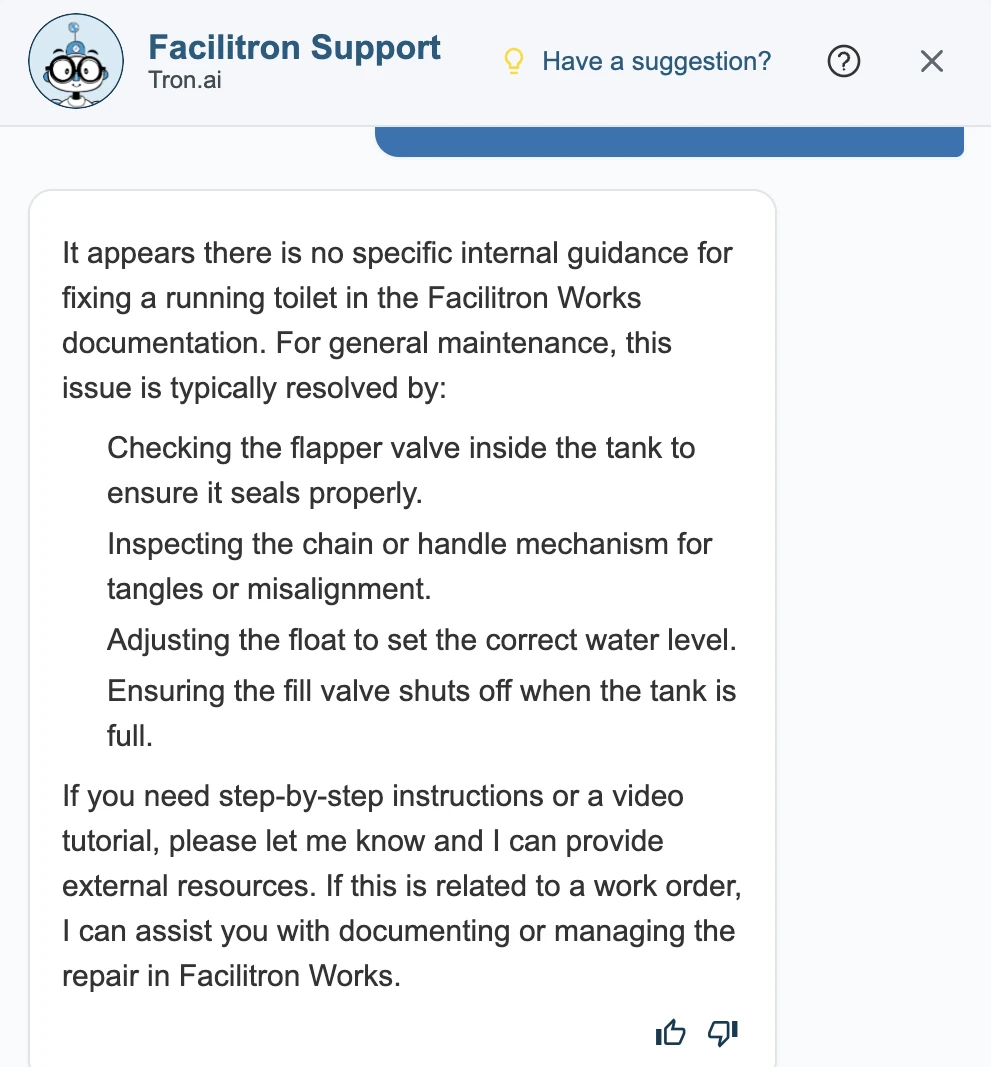
It may also show a Resources section with YouTube videos that you can watch for detailed repair instructions, or provide web pages with step-by-step directions, visuals, or helpful tips for you to read.
Note: While Tron AI can save you time searching on Google, you still need to follow your organization’s policies and manufacturer instructions for properly maintaining your equipment. Tron AI is not a replacement for any policies, safety procedures, or manufacturer instructions.
For additional assistance, please reach out to Facilitron Support at (800) 272-2962, or email us at support@facilitron.com.
Was this article helpful?
That’s Great!
Thank you for your feedback
Sorry! We couldn't be helpful
Thank you for your feedback
Feedback sent
We appreciate your effort and will try to fix the article