This article will help Facilitron WORKS users search for a work order that has already been created.
The Work Order Number
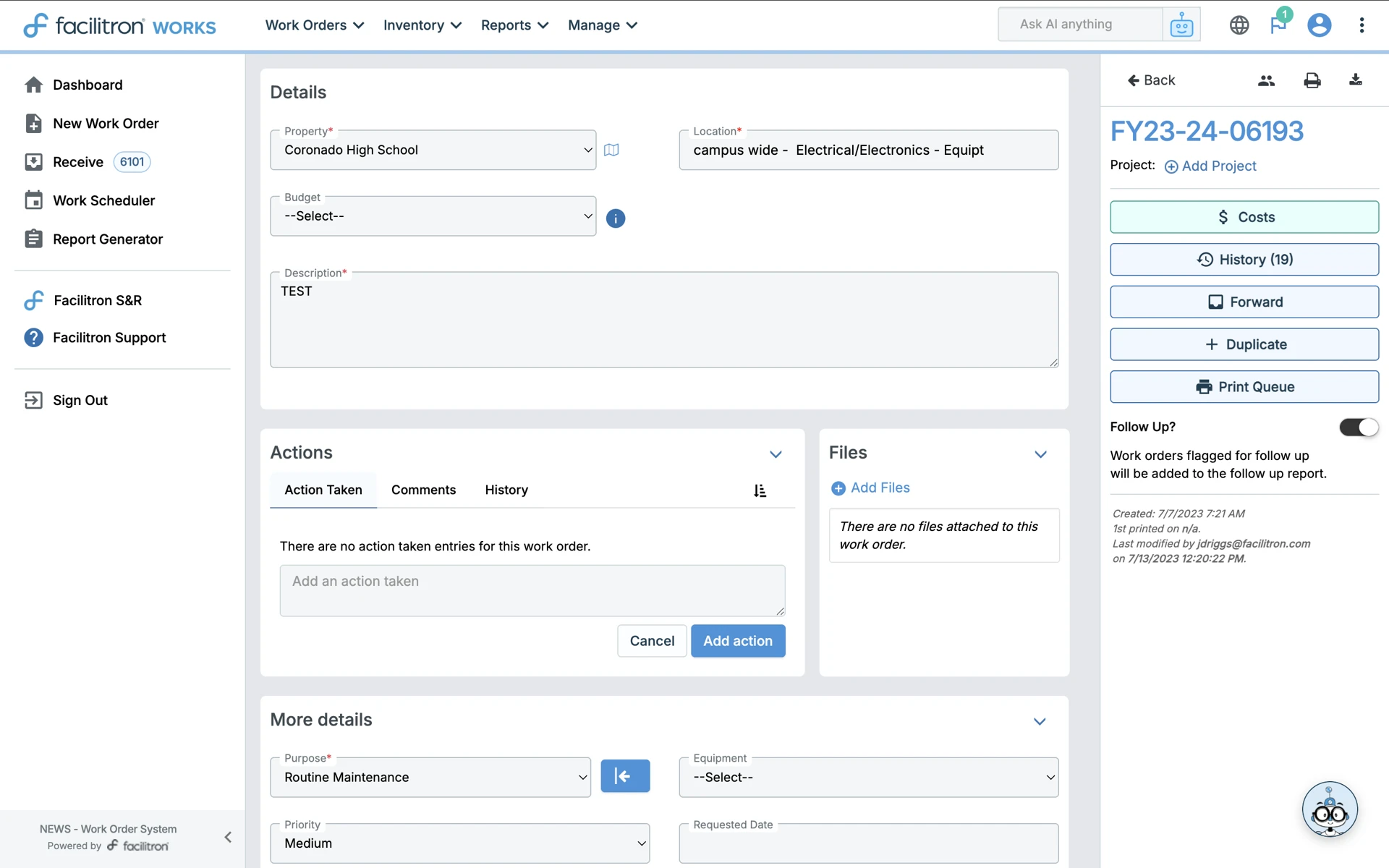
Each work order is assigned a unique number for easy reference and identification. The full work order number will include the fiscal year, like FY23-24-06193. To search for a work order, all you need are the digits after any 0's. For example, to find WO FY25-25 00179, you just need to search for “179”.
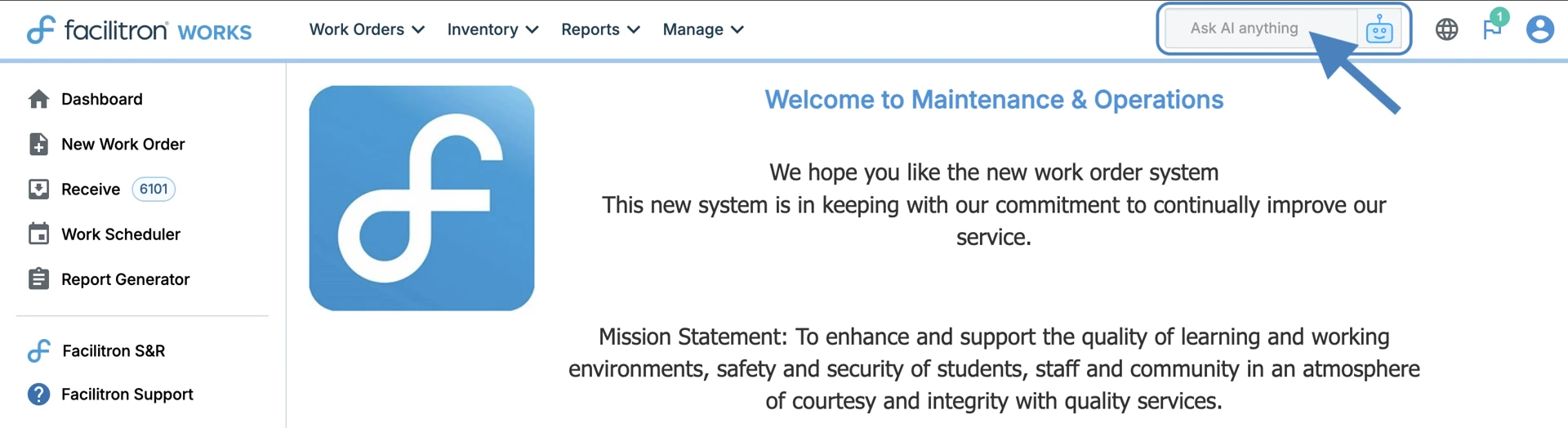
To search for a work order, first locate the search bar that says Ask AI anything at the top right of your screen. Enter the work order number here, and press enter.
You will be taken to the work order associated with the work order number searched. An example is below.
Advanced Filtering
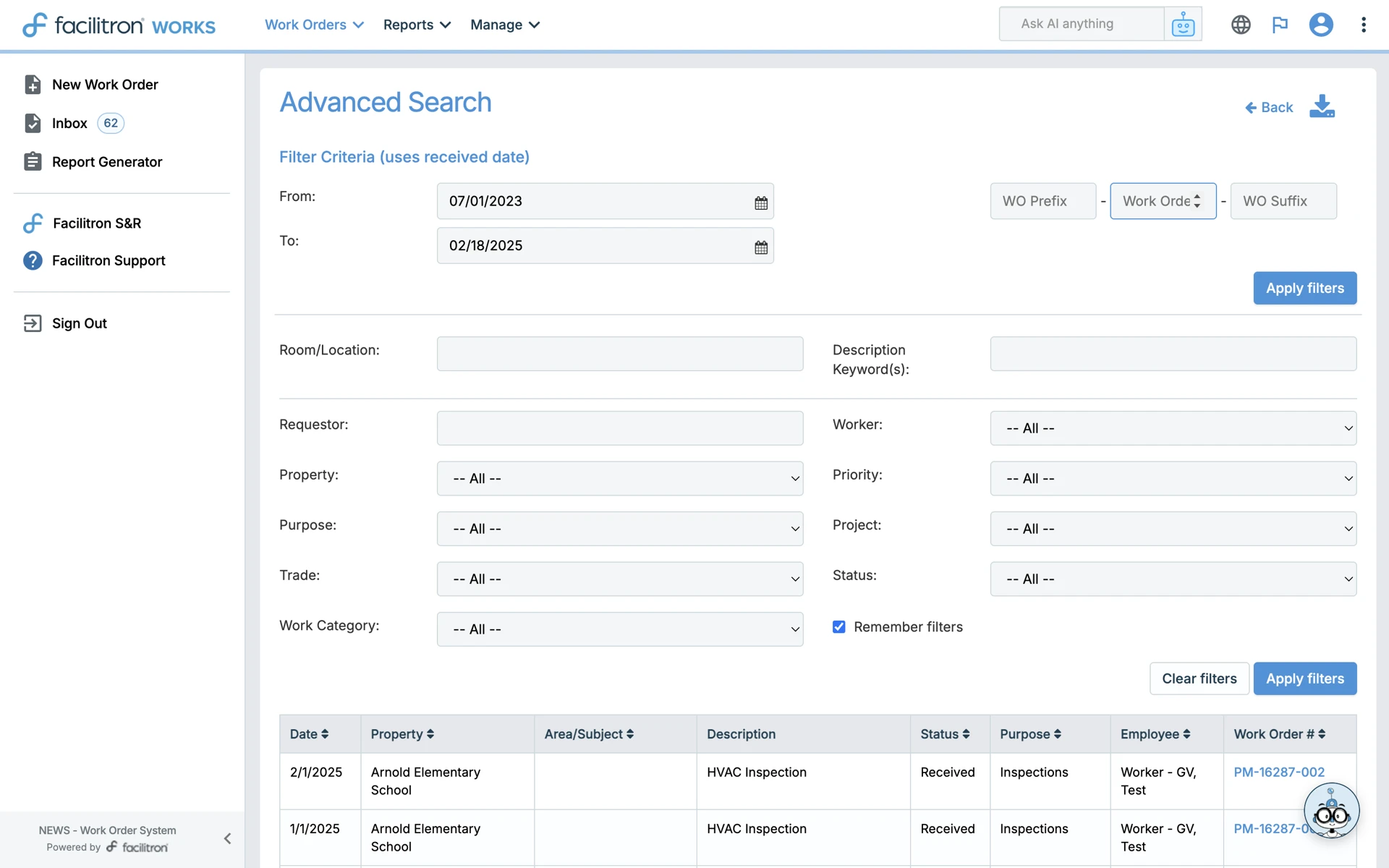
You may also use the Advanced Search page to search for a work order. To do this, go to Work Orders > Search. Upon clicking Search, you will be taken to the Advanced Search page. Please note that this page will have some variances due to the different roles in Facilitron WORKS. The following image shows what the Advanced Search screen looks like for Maintenance Technicians.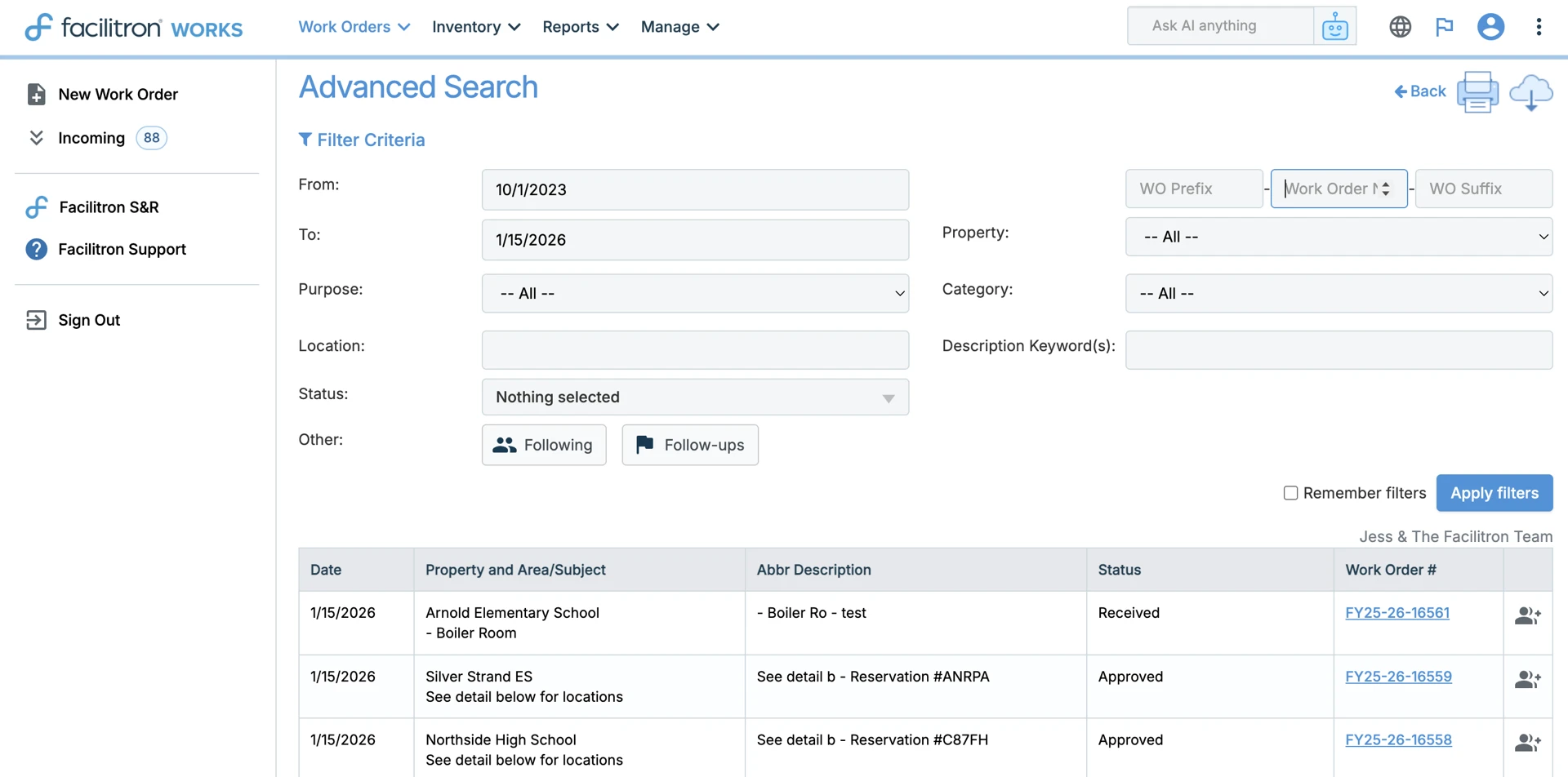
The Advanced Search screen will look a little different for users with the Order Originator and Order Approver role. Order Processors and Order Administrators will see something similar to the following screen, however with additional options as fits their roles.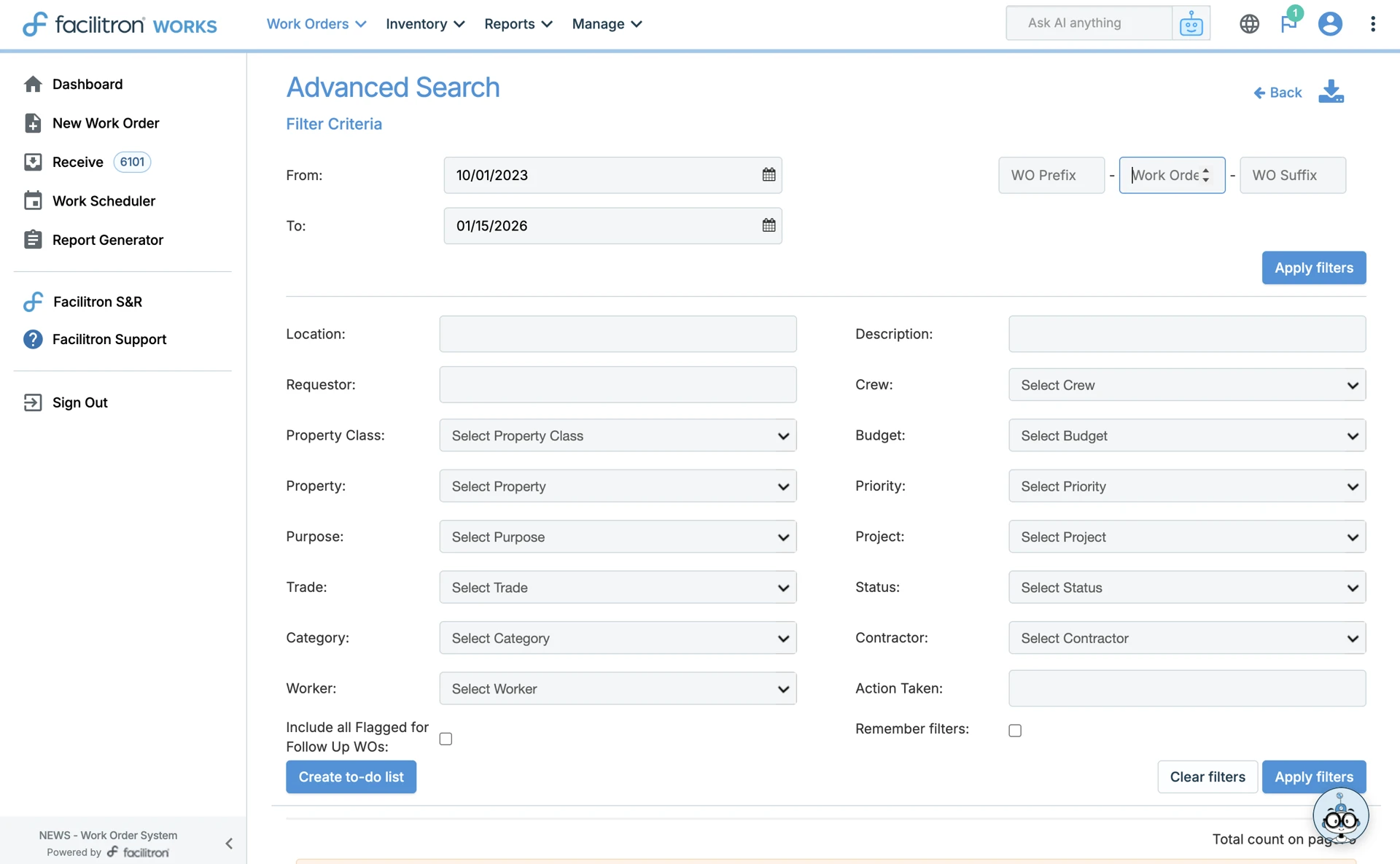
Site Based Plant Managers will have a different view of this page as well:
Searching on the Facilitron WORKS App
To search for a work order on the Facilitron WORKS app:
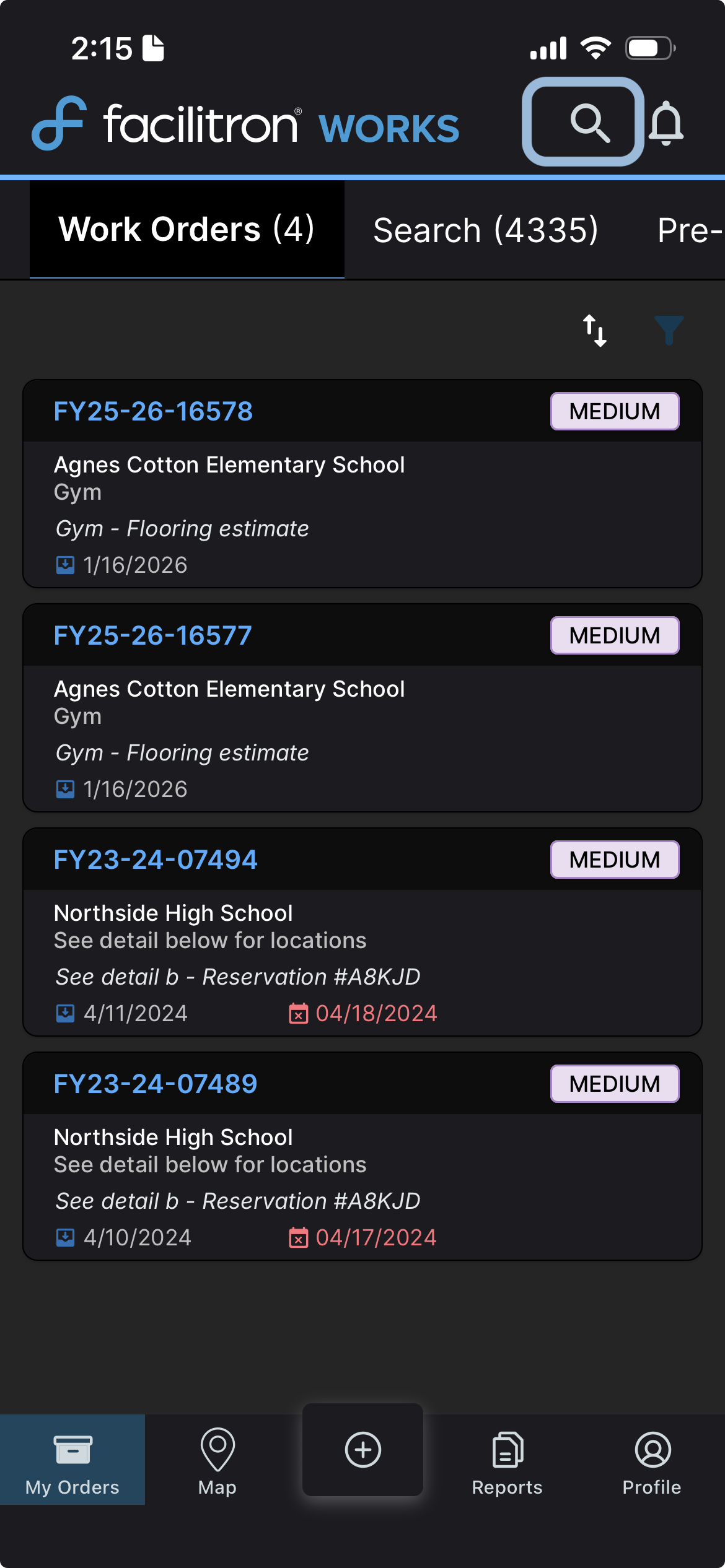
- Click the search icon at the top right. Alternatively, you can use the Search page.
Enter the work order number. You can also enter additional information to help locate the work order.
- Tap the correct suggestion to go to the work order detail page.
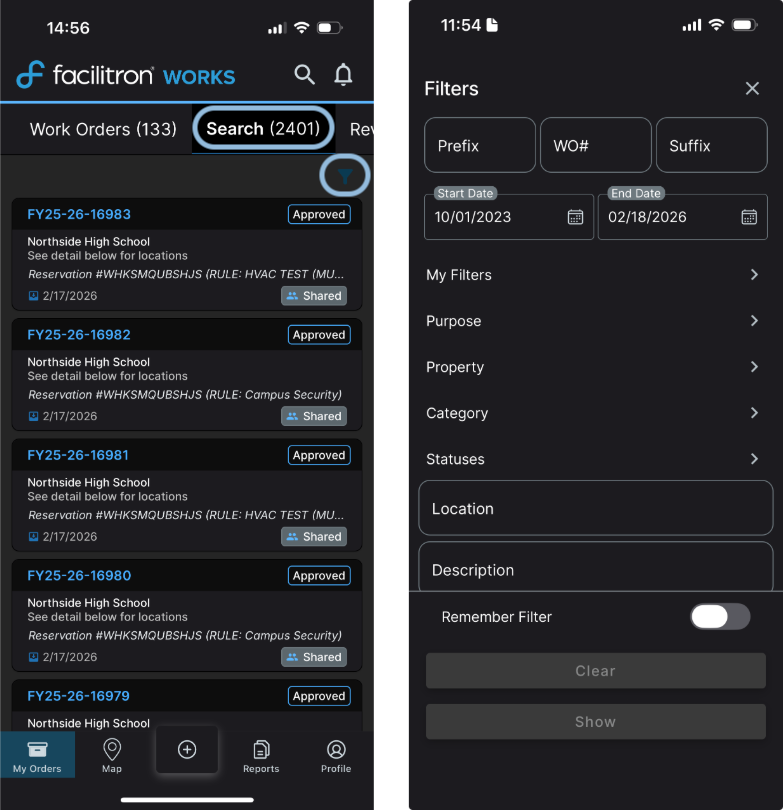
You can also search using the search page in the app, highlighted below. You can apply filters for your search using the filter icon. When you tap the filter icon, you’ll be able to select the criteria you wish to use to search for the work order.
For additional assistance, please reach out to Facilitron Support at (800) 272-2962, or email us at support@facilitron.com.
Was this article helpful?
That’s Great!
Thank you for your feedback
Sorry! We couldn't be helpful
Thank you for your feedback
Feedback sent
We appreciate your effort and will try to fix the article