FIT allows inspectors to generate an inspection report directly from the mobile app. This makes it possible to complete the inspection, generate the appropriate report while still in the field, and use the configured report format and signature areas without having to return to the web application.
How to Export an Inspection Report
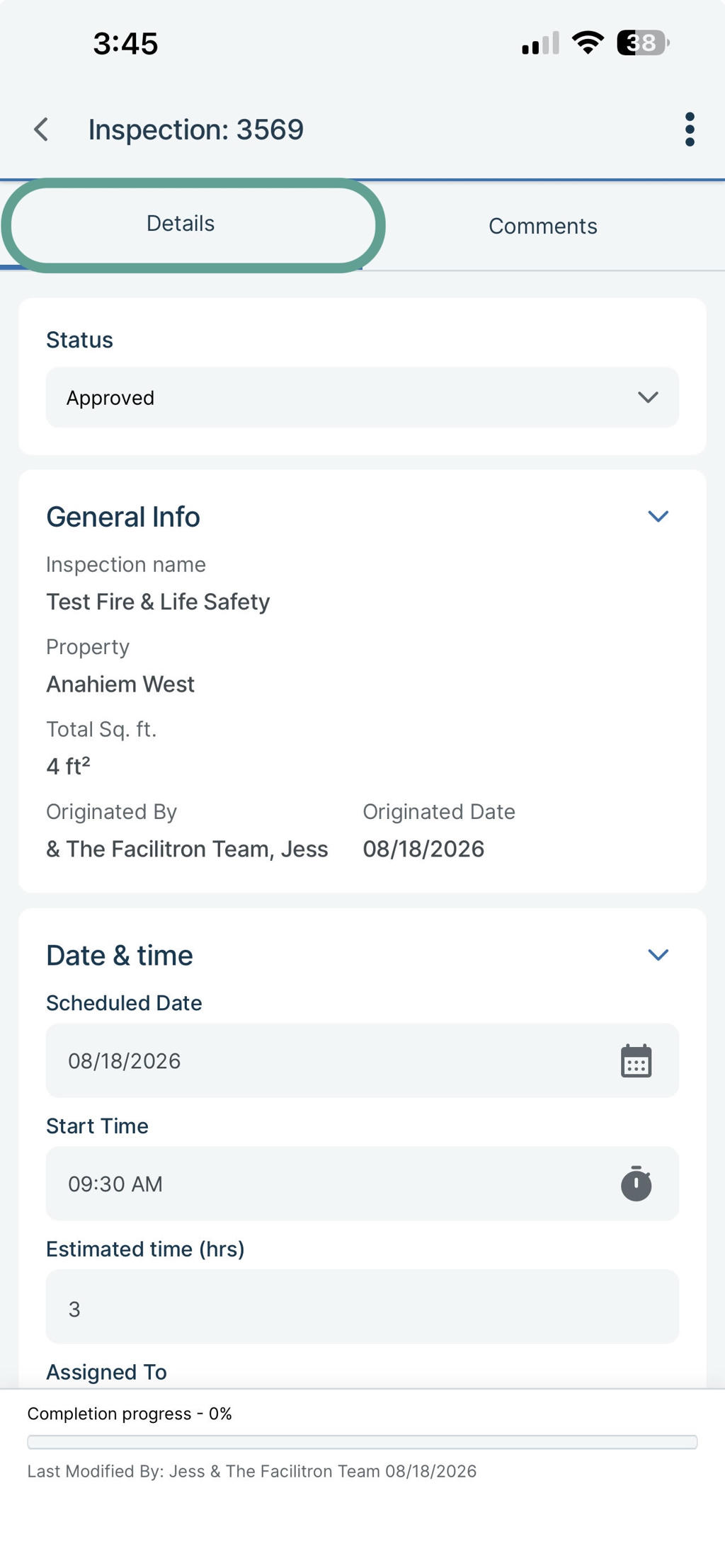
Open the inspection in FIT, and go to the Inspection Details page, and remain on the Details tab.
Tap the ellipsis (three dots) in the upper-right corner.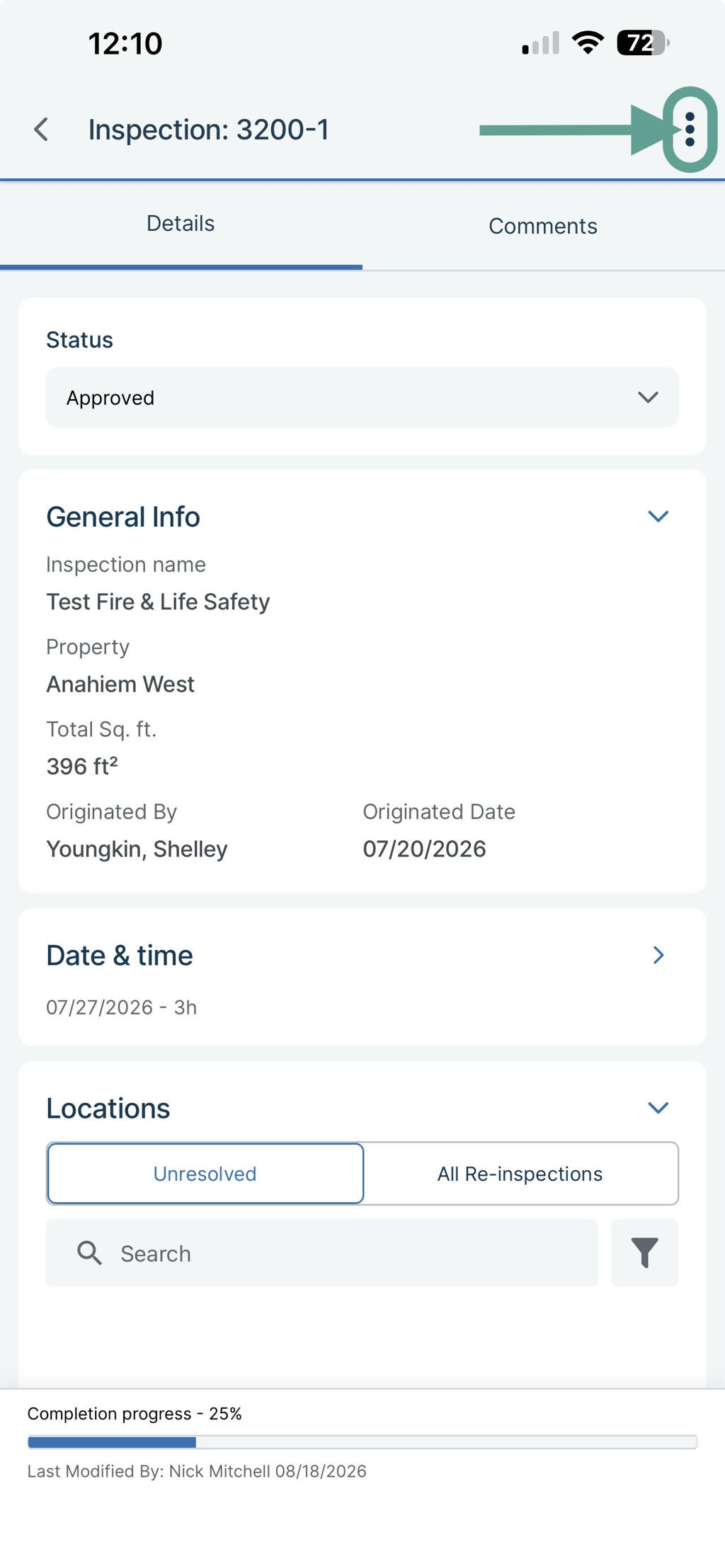
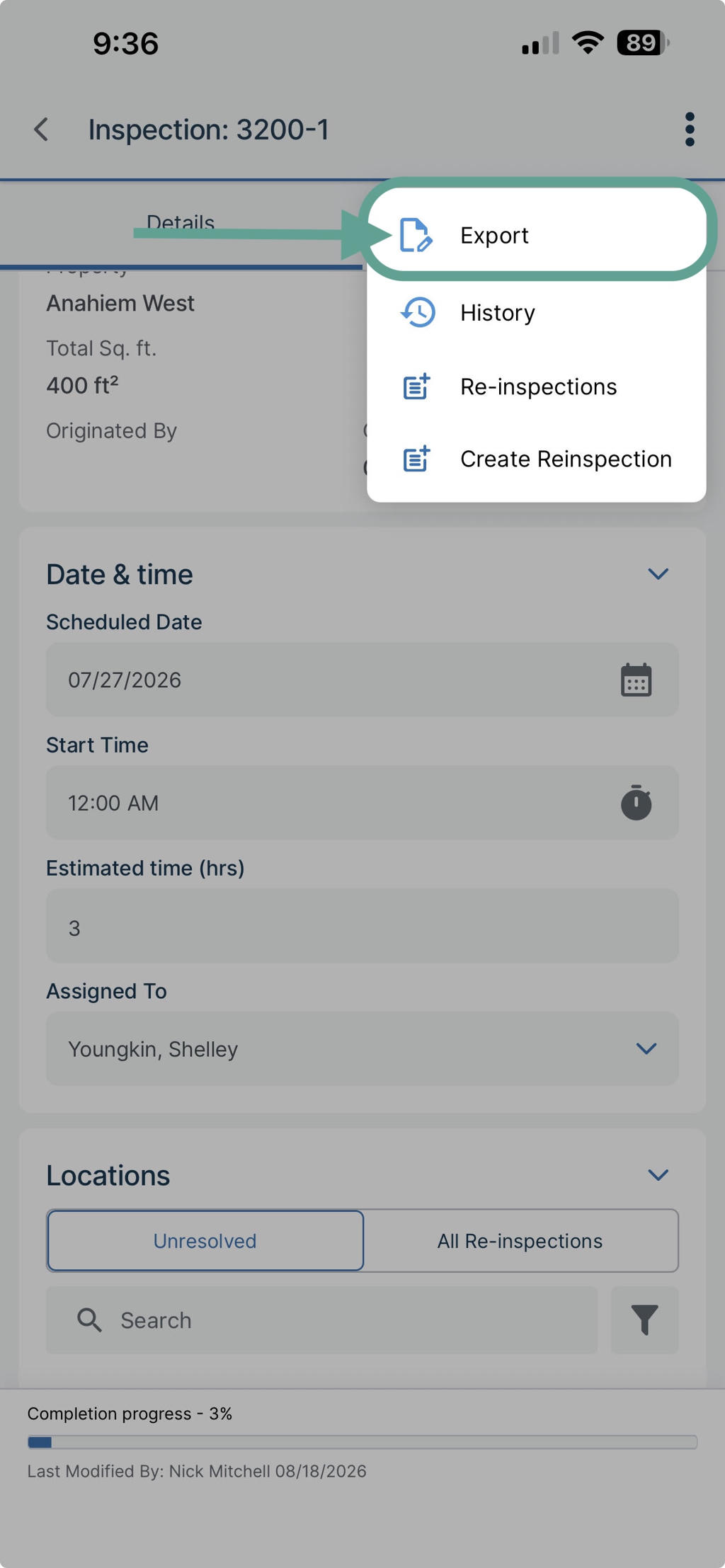
Select Export.
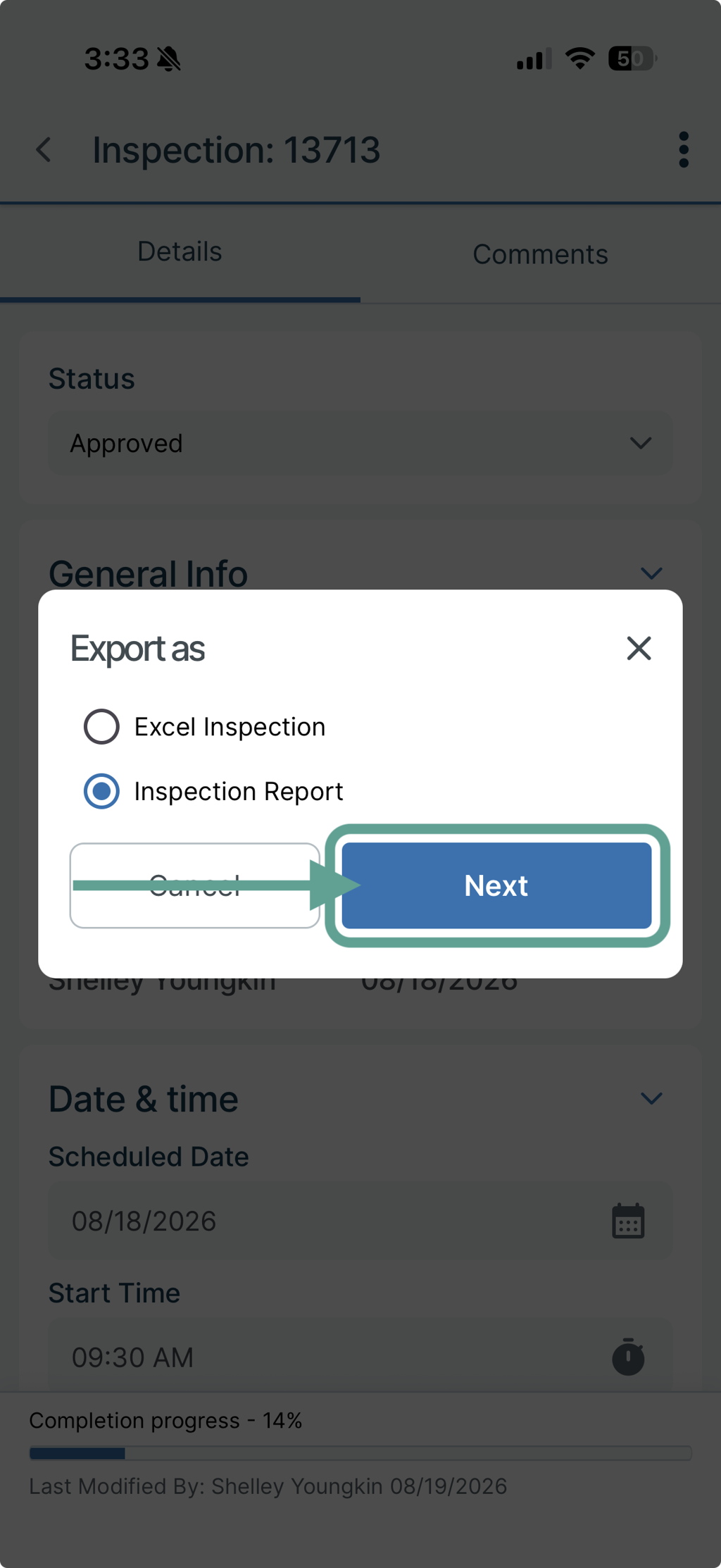
Tap Inspection Report.
Select a report template.
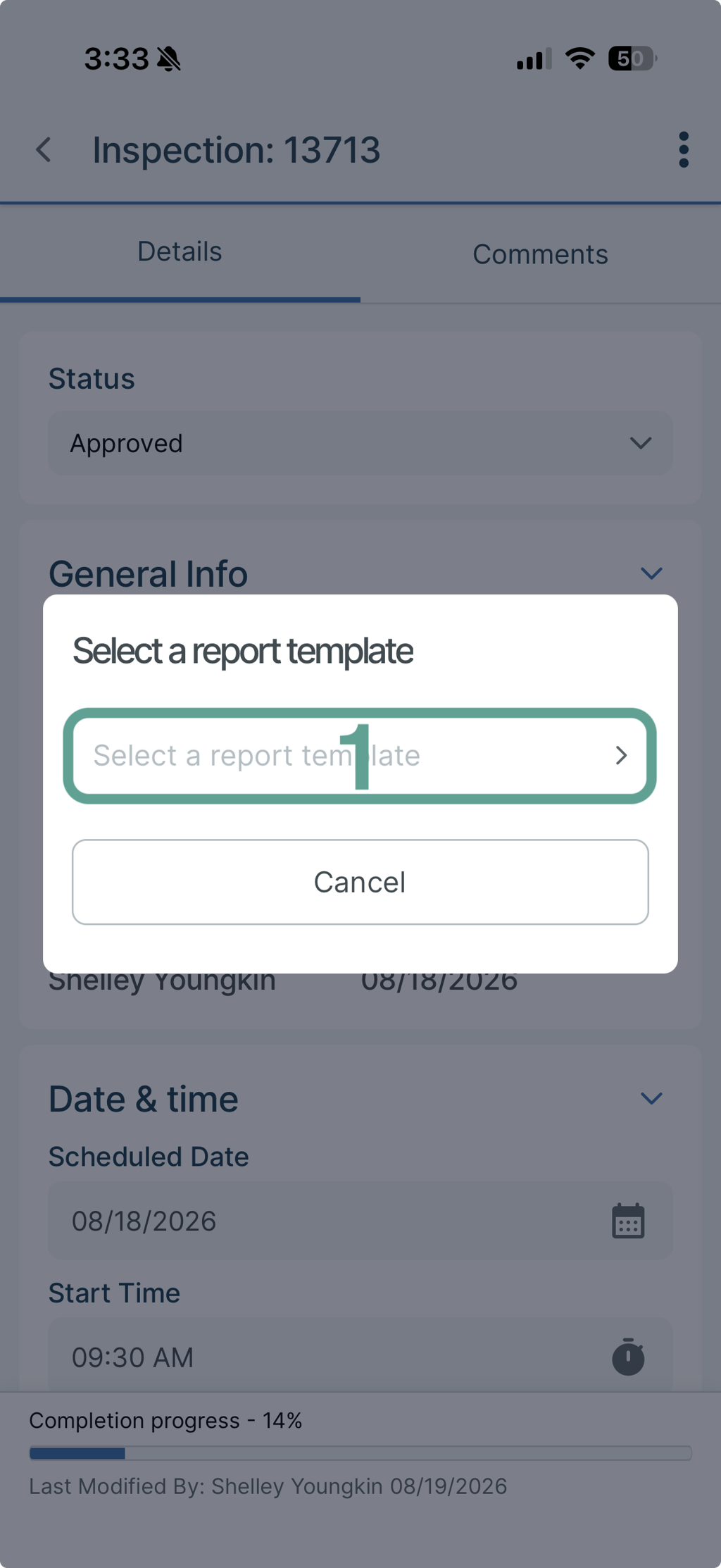
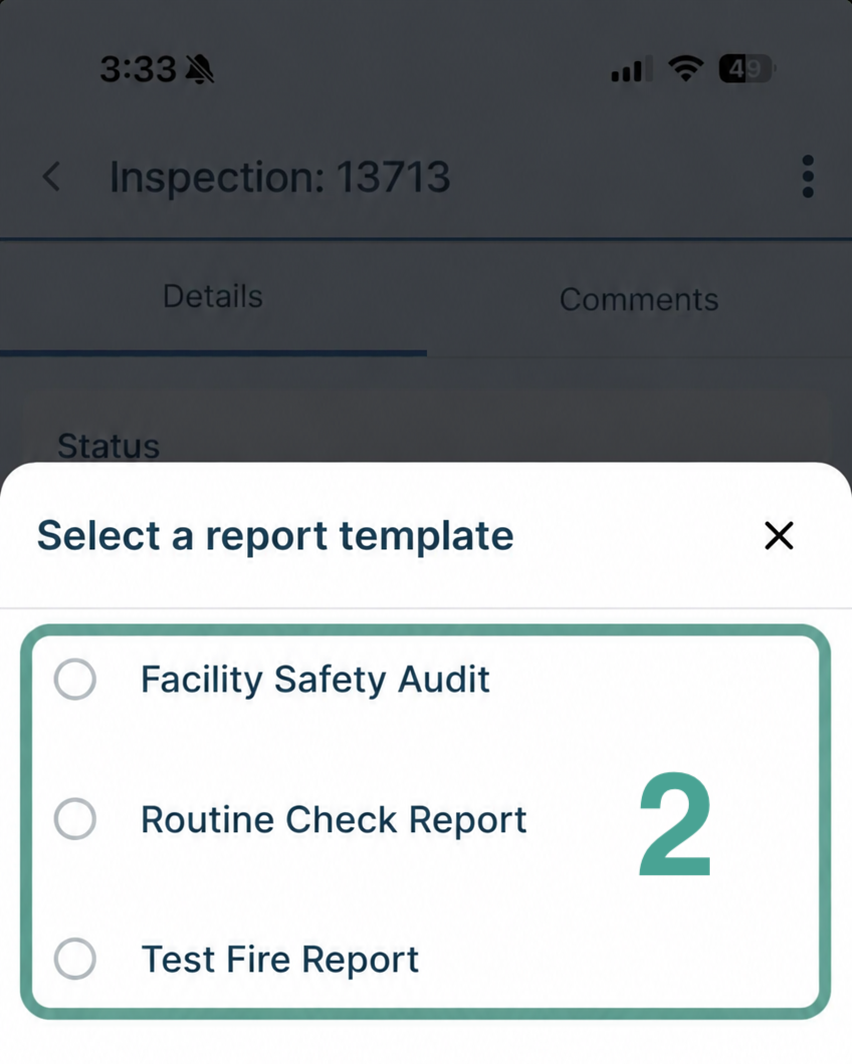
Tap Export. The available export options are based on the report templates configured for your inspection workflow. For example, your organization may provide a specific inspection, fire and life safety, or other customized report template.
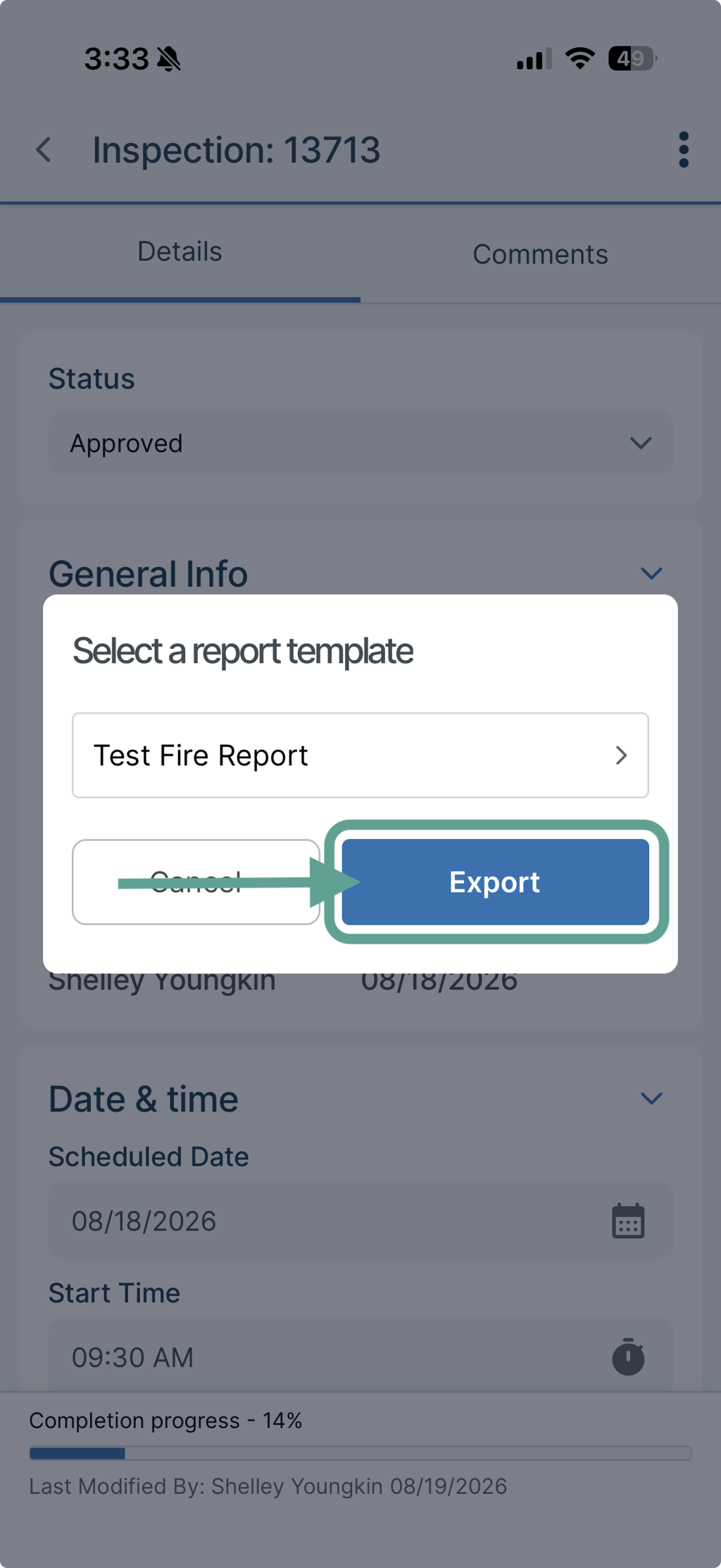
FIT will then generate the report.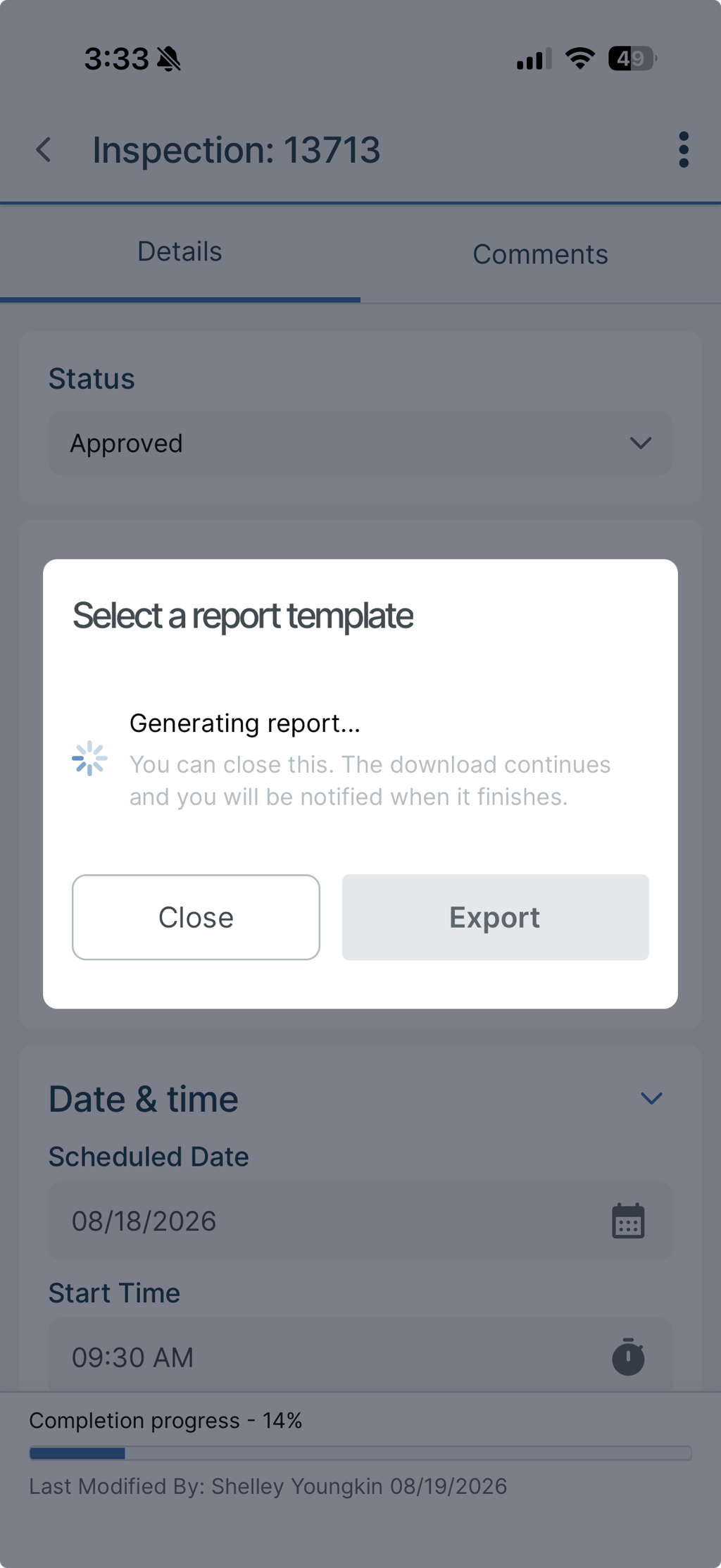
Report Contents
After you submit the export request, FIT generates the report using the selected template. Once the report has finished generating, open it and verify that the inspection information appears as expected. Depending on how your organization has configured the report template, the report may include some or all of the following elements:
- Inspection results.
- Violations
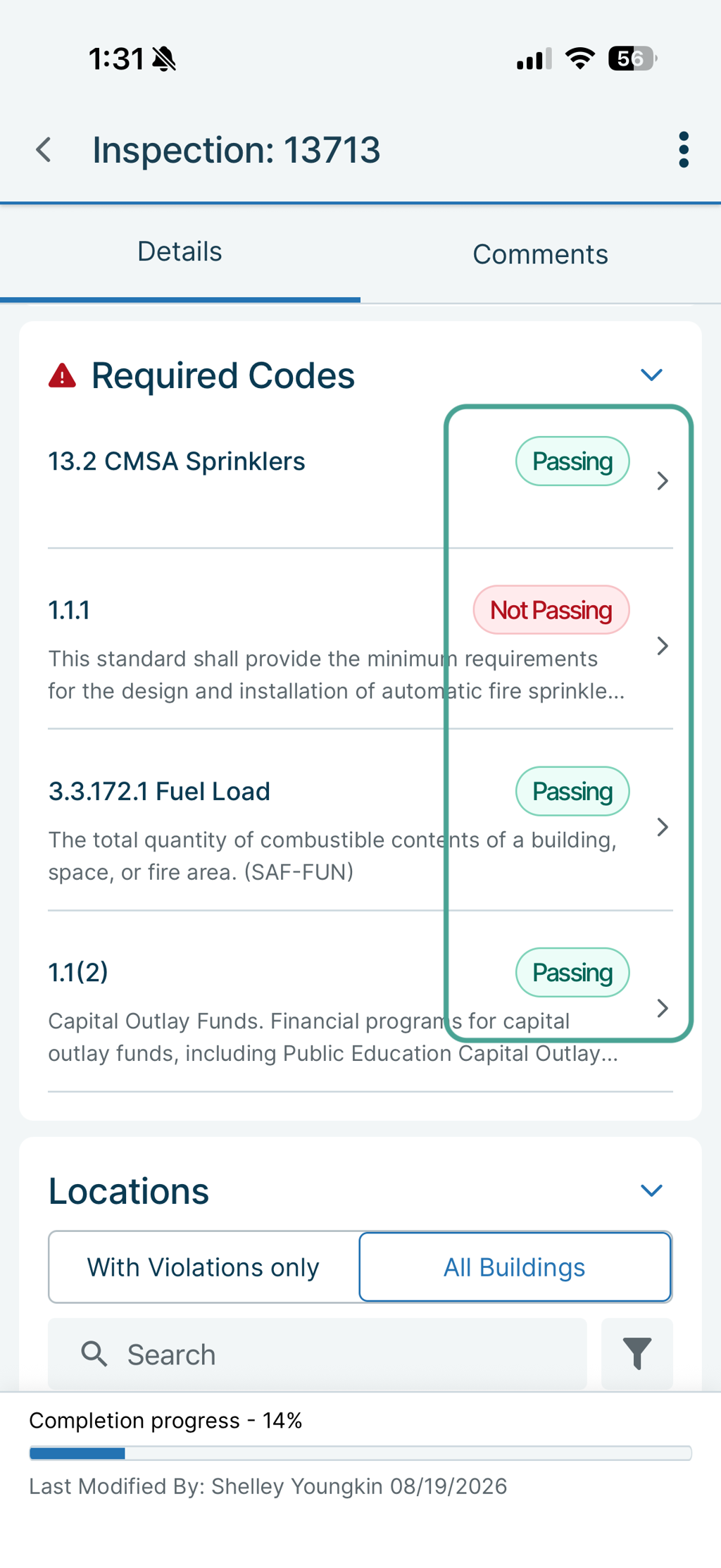
- Required codes
- Passing required codes
- Organization- or report-specific branding
- One or more signature blocks
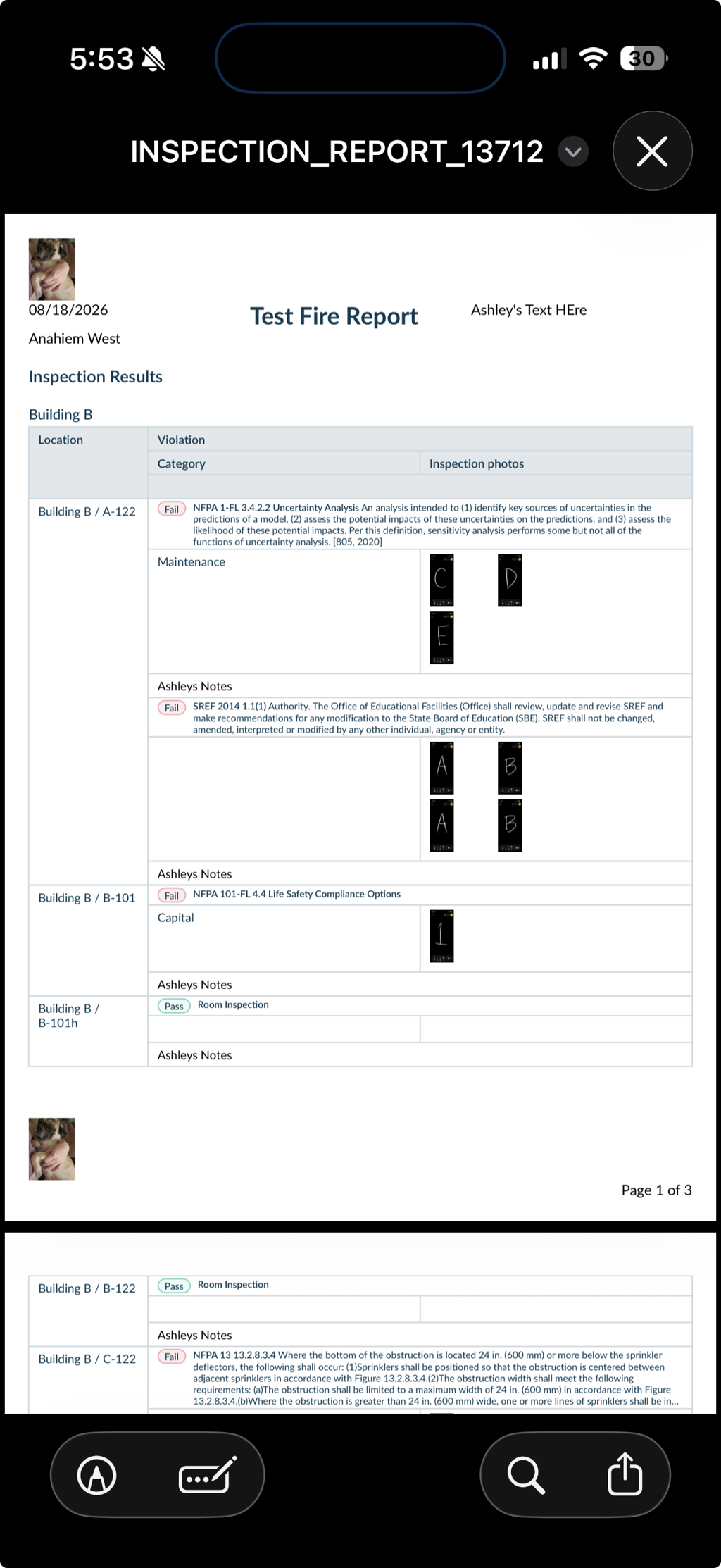
Required Codes on Exported Reports
Required codes can be configured to appear on the final report even when they are passing. When the report template has Show Passing Items enabled, passing required codes are included alongside failed items. This provides a more complete record of the codes that were evaluated during the inspection.
For additional assistance, please reach out to Facilitron Support at (800) 272-2962, or email us at support@facilitron.com.
Was this article helpful?
That’s Great!
Thank you for your feedback
Sorry! We couldn't be helpful
Thank you for your feedback
Feedback sent
We appreciate your effort and will try to fix the article