This article assists Order Administrators with updating individual work orders in Locked - Fiscal Year Closed status in Facilitron Works. For assistance with making updates to multiple work orders at once, please see Bulk Closing Work Order Actions and Starting a New Fiscal Year.
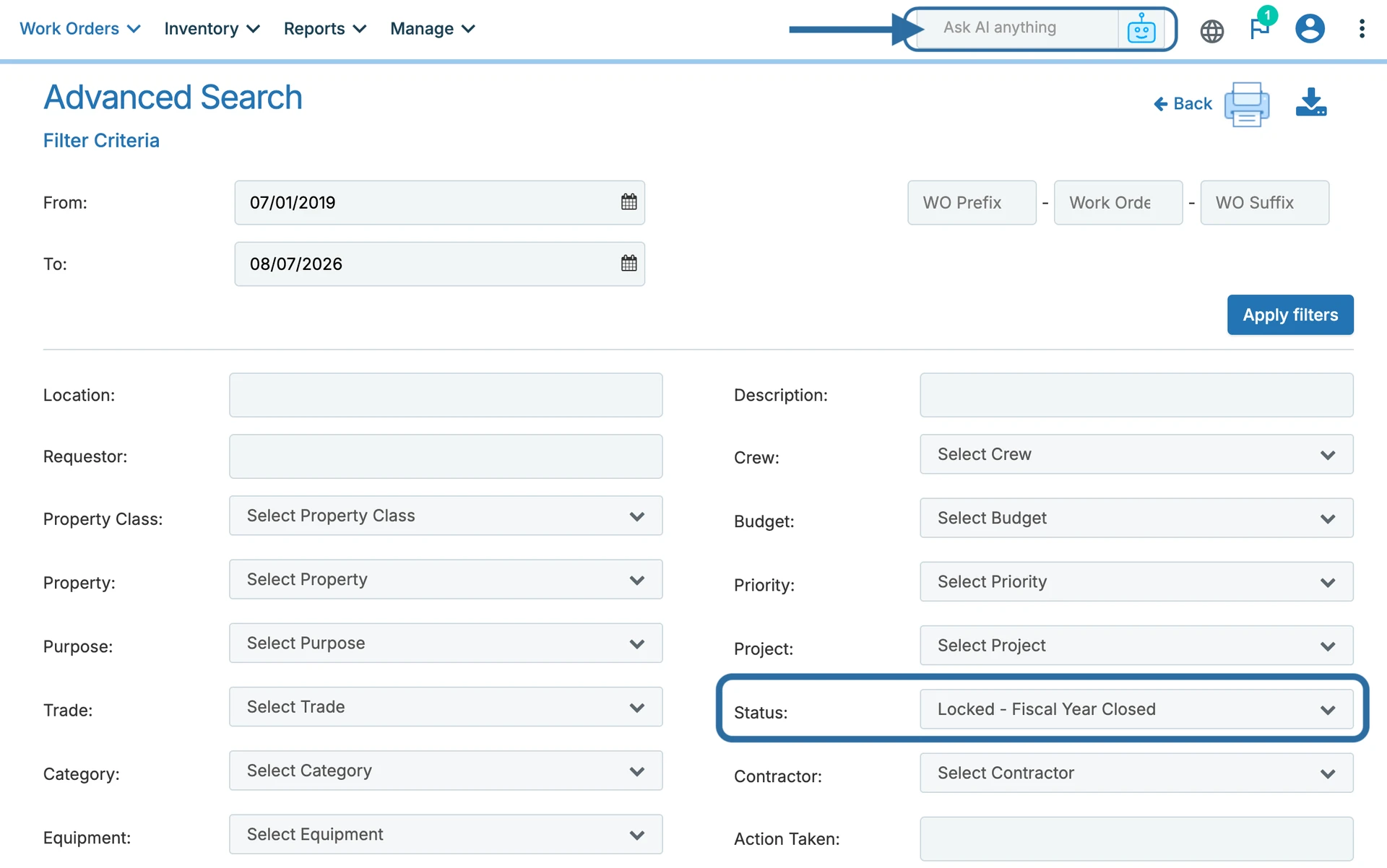
To begin, open a work order in Locked - Fiscal Year Closed status. You can locate one by using the AI search bar or filtering by work order status on the Advanced Search page (Work Orders > Search).
You'll see a lock icon labeled Lock Work Order in the right-hand project bar. Click the lock to unlock the work order and make updates, such as changing the Closed Date or other work order details. After you save your changes, the work order will automatically re-lock and remain in Locked - Fiscal Year Closed status.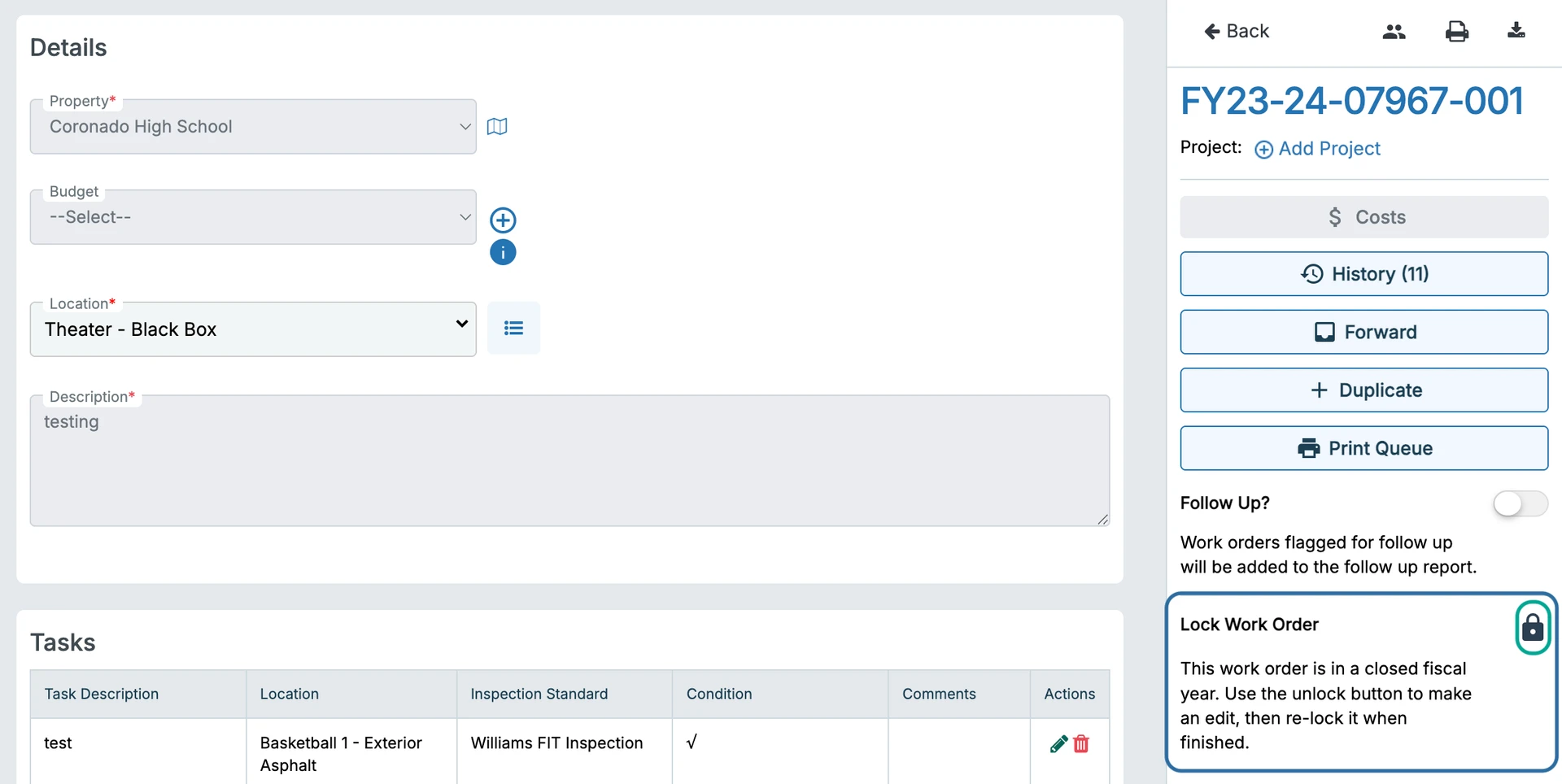
Additional Notes
- The Lock Work Order toggle is only available on work orders in Locked - Fiscal Year Closed status.
- Every lock and unlock action is logged in the work order history with the user and timestamp.
- If you unlock a work order but don't make any changes, you can lock it again using the Lock Work Order toggle or the Current Status dropdown.
For additional assistance, please reach out to Facilitron Support at (800) 272-2962, or email us at support@facilitron.com.
Was this article helpful?
That’s Great!
Thank you for your feedback
Sorry! We couldn't be helpful
Thank you for your feedback
Feedback sent
We appreciate your effort and will try to fix the article