This article shows Order Administrators how to set up and use Deferred Maintenance (DM) reporting in Facilitron Works.
What is Deferred Maintenance Reporting?
DM reporting in Works helps your district track budgeted and actual deferred maintenance costs and prepare for California State Allocation Board (SAB) reporting.
Deferred Maintenance differs from Preventive Maintenance (PM). While PM covers routine work that keeps assets operating, DM planning accounts for the eventual repair or replacement of major assets such as HVAC systems, roofing, asphalt, electrical systems, and flooring.
Before You Begin
Deferred Maintenance reporting relies on DM projects in Works. Work orders and their associated costs must be linked to the appropriate DM project to appear in actual cost reporting.
There are two types of DM costs in Works:
- Budget estimates: Planned costs entered at the DM project level and used for SAB reporting.
- Actual costs: Labor and material costs recorded on work orders linked to a DM project.
How to Create a DM Project
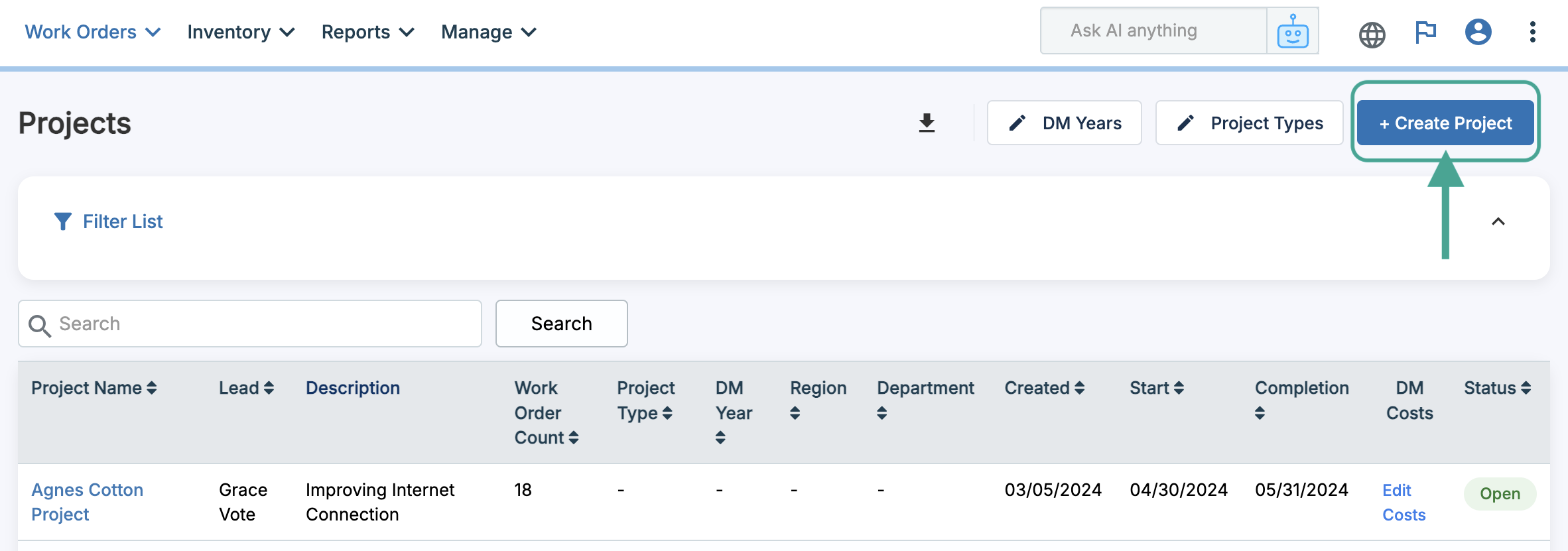
Go to Work Orders > Projects and click + Create Project.
Enter a unique project name and select Deferred Maintenance as the project type. Add the DM year and any other information needed for the project. Press Next to add work orders to the project. For assistance with creating a project and adding work orders, please see Creating and Managing Projects from the Projects Page.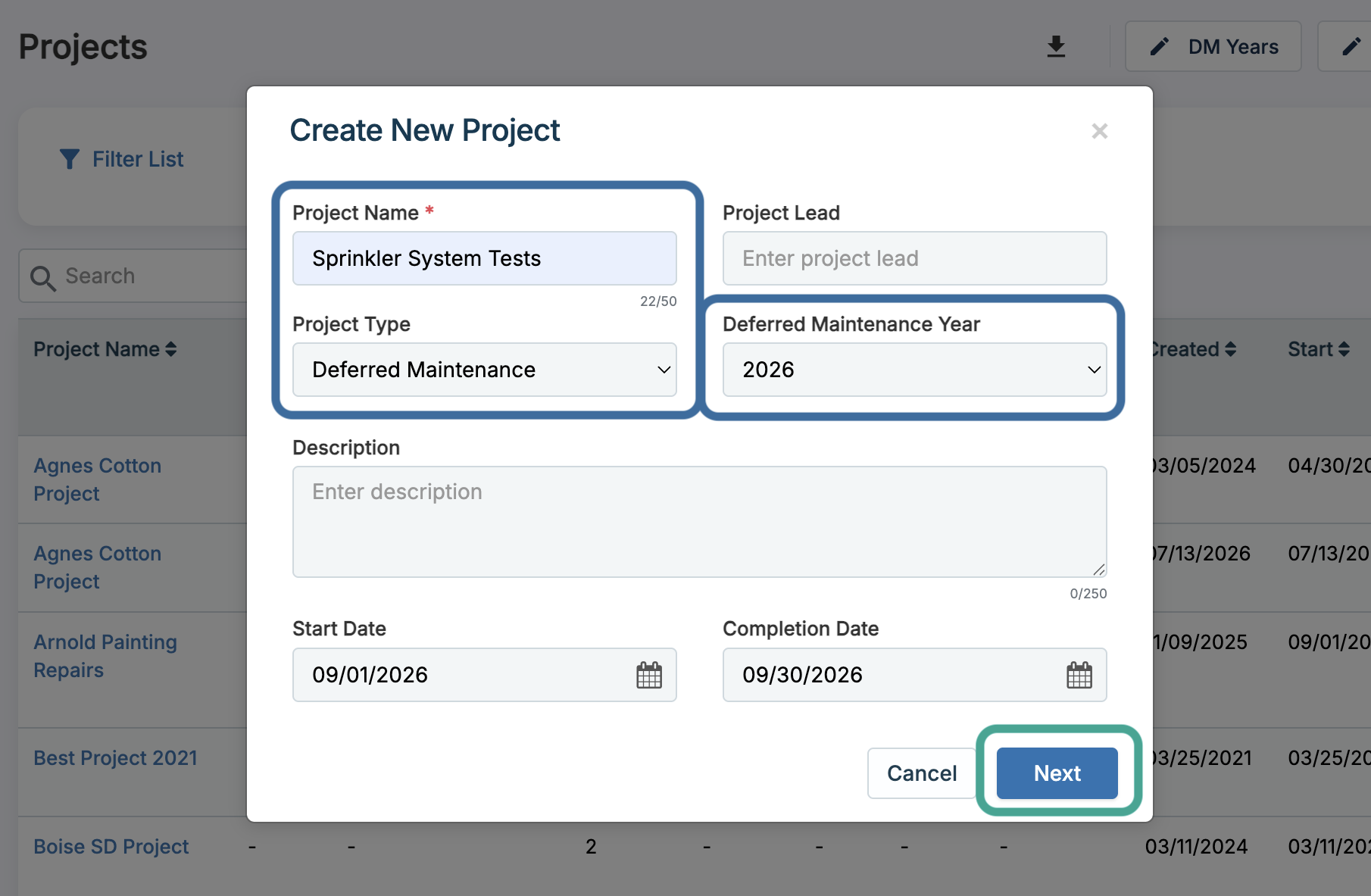
Setting Up Asset Groups
Asset groups are used for both inventory tracking and DM categorization. To create asset groups, go to Inventory > Assets > Asset Groups. Click Add New Group.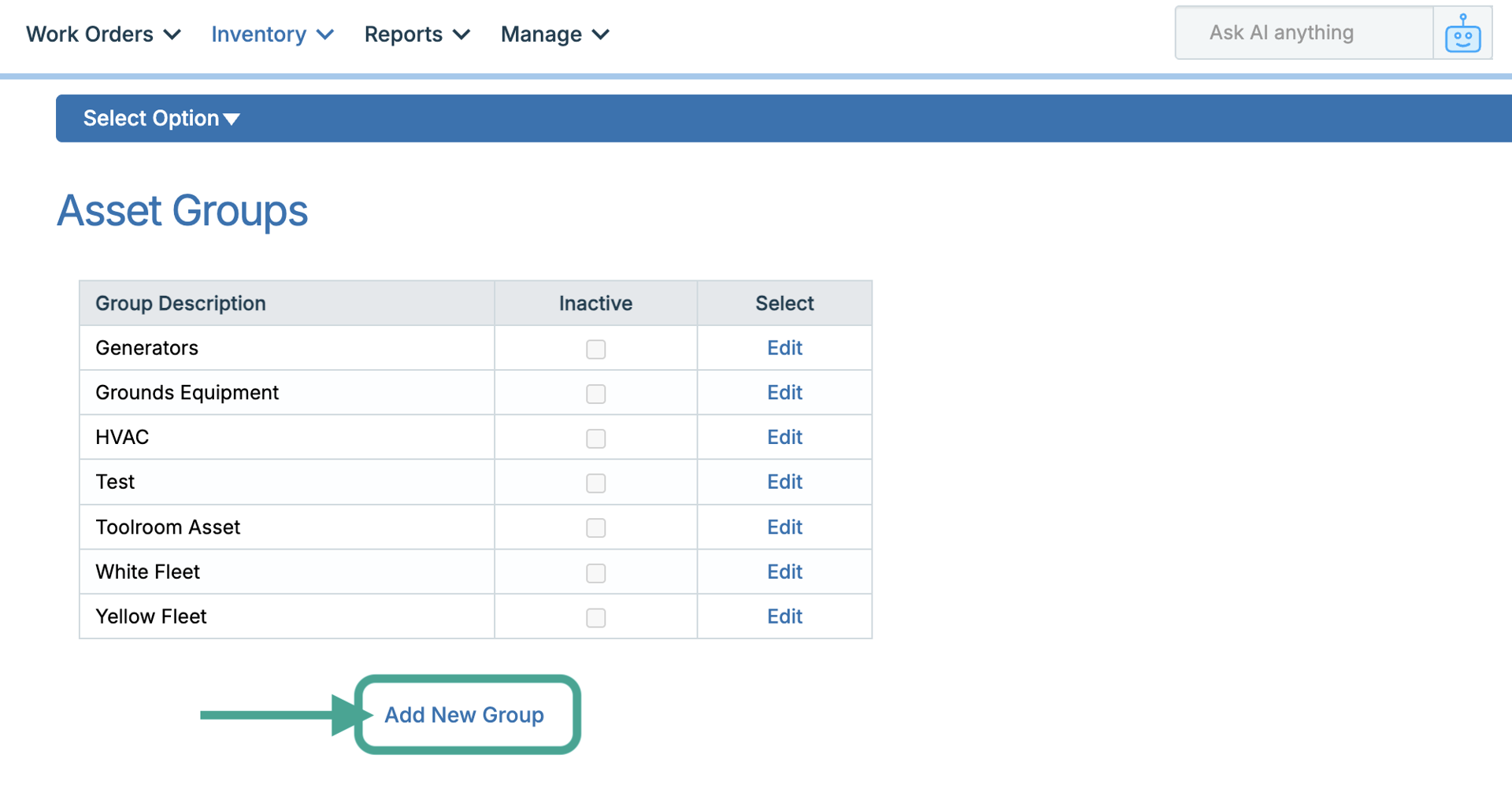
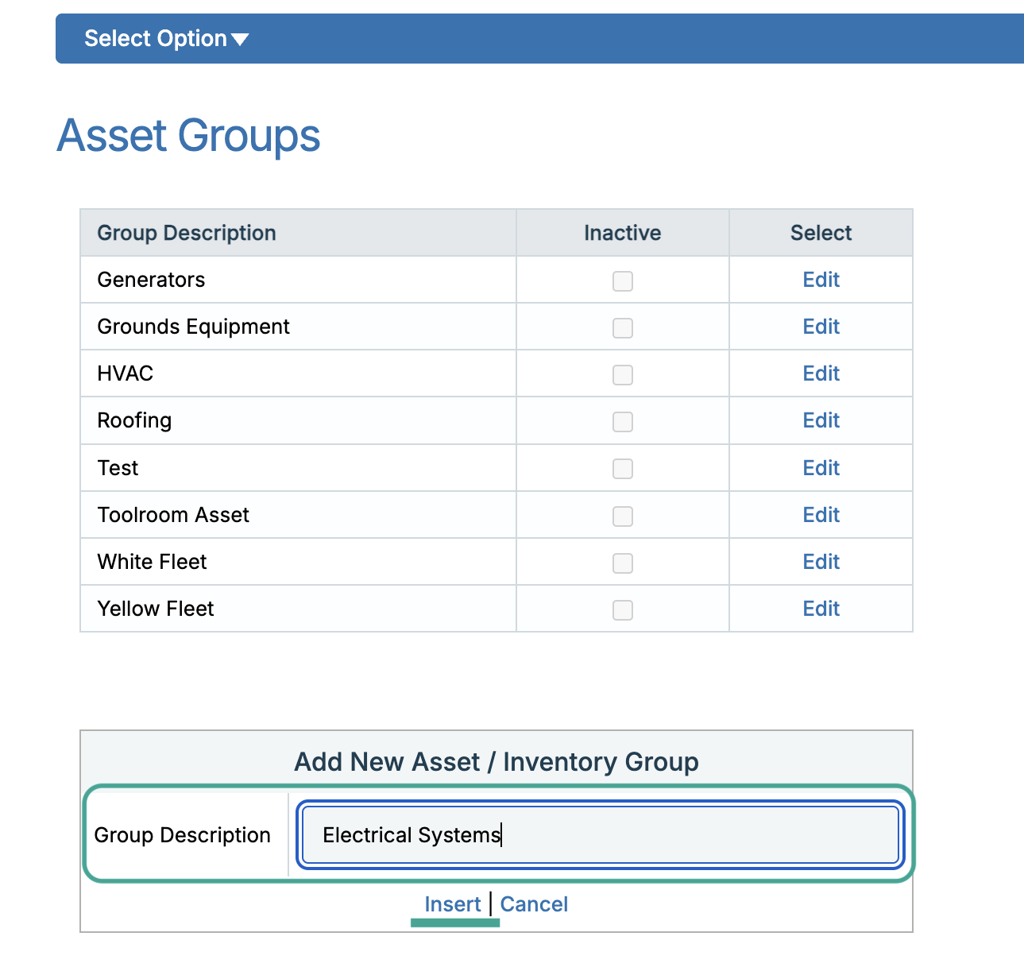
Fill in a group description and click Insert to save. Create the groups needed to align with your DM project categories (e.g., HVAC Equipment, Roofing, Electrical Systems).
Adding Budget Estimates to a DM Project
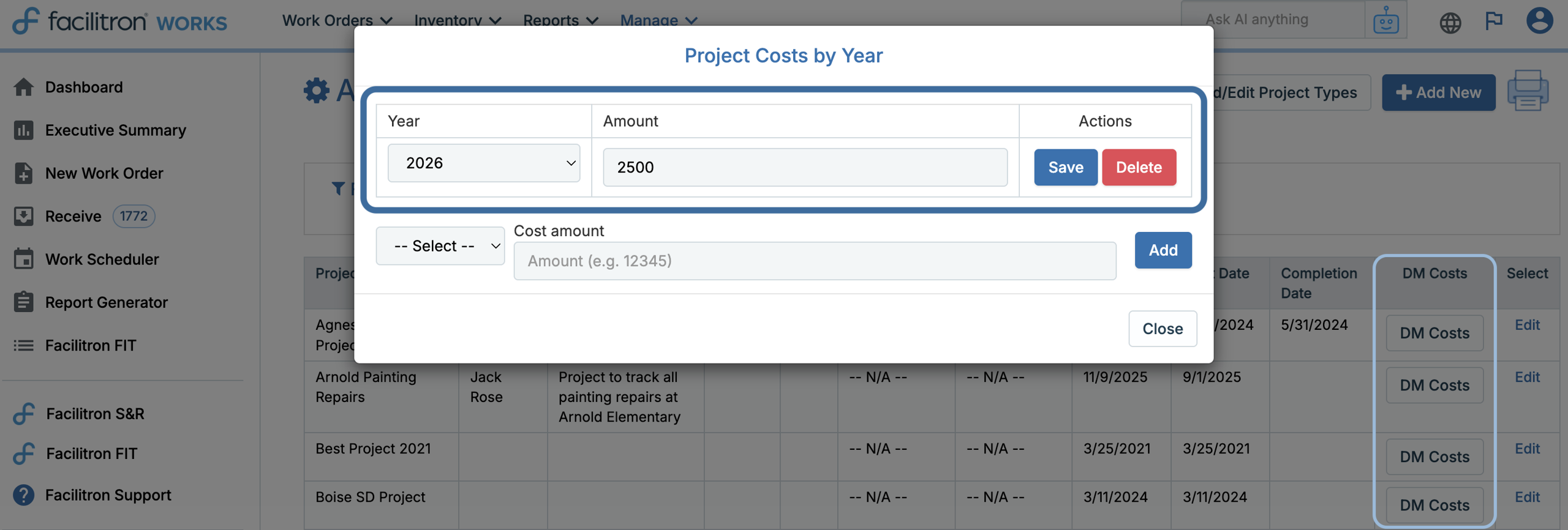
Budget estimates represent the planned or anticipated replacement costs for a deferred maintenance category. From the Add/Edit Projects page, click DM Costs for the applicable project. In the modal, enter the year and budget allocation amount.
Note: Budget estimates represent planned costs for SAB reporting and are not tied to actual work orders.
Tracking Deferred Maintenance Costs on Work Orders
As deferred maintenance work is completed, labor and material expenses can be recorded on the associated work order. To add costs to a work order, open the Cost tab on the applicable work order and enter the applicable labor and/or material costs.
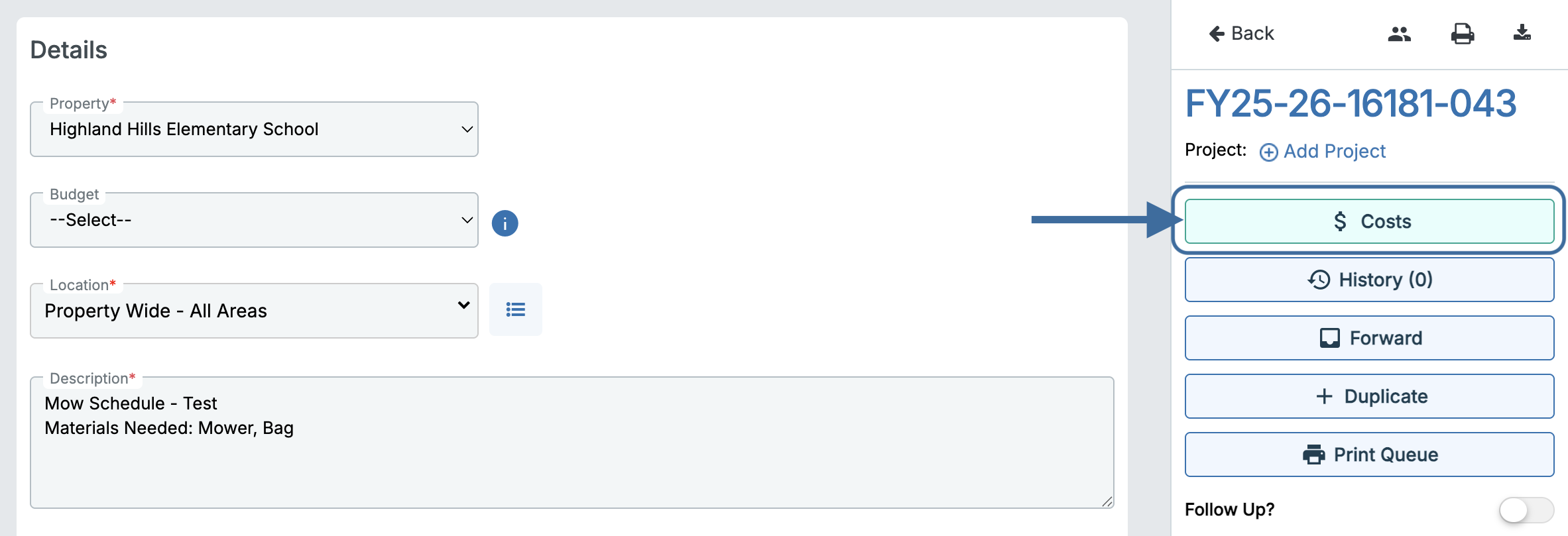 Then, if the work order isn’t already linked to a DM project, select the appropriate project by searching for its name or project number. For more information about linking work orders to projects, please see Creating and Managing Projects from the Projects Page.
Note: A work order must be linked to a DM Project for its costs to appear in Deferred Maintenance cost reporting. Work orders that are not linked to a DM Project will not be included.
How to Run Deferred Maintenance Reports
To access DM reports, go to Reports > DM Reports. Here you can generate applicable DM forms and review project costs for your DM projects.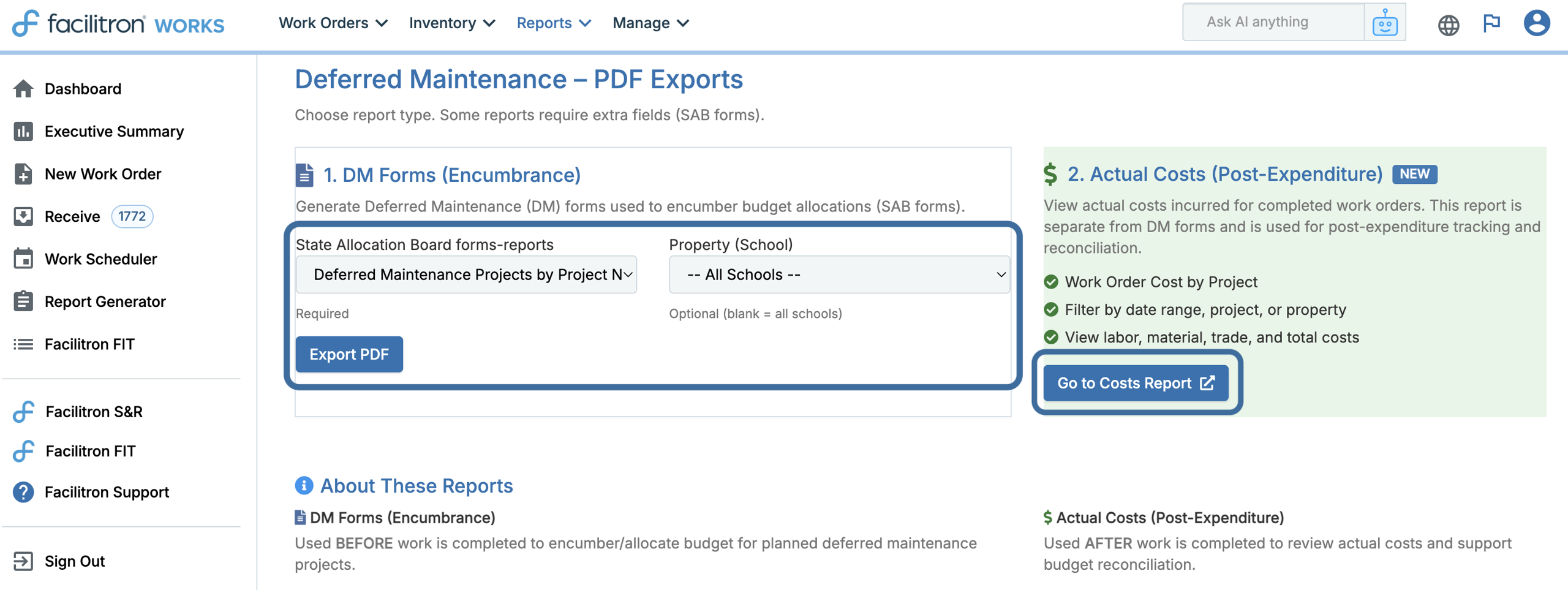
DM Forms
Use DM Forms to generate the applicable SAB reporting form for your district. Select the needed SAB form, such as SAB 40-1 or SAB 40-20, the property if applicable, then click Export PDF.
Work Order Cost by Project
Use the cost report to review the actual labor and material costs associated with your DM Projects. This report can be used alongside your project-level budget estimates to compare planned deferred maintenance spending with actual expenditures.
From the DM reporting page, click Go to Costs Report to view actual costs from linked work orders. Use the available filters to narrow the report by criteria such as date range, project, or property.
Deferred Maintenance Reporting Checklist
Before running your annual DM reports, confirm that:
- A DM Project exists for each applicable deferred maintenance category.
- Each project has the correct DM year.
- Each project is assigned to the appropriate trade.
- Budget estimates have been entered using DM Costs.
- Labor and material costs have been recorded on applicable work orders.
- Each applicable work order is linked to the correct DM project.
- DM reports have been reviewed for accuracy before completing your SAB filing.
For additional assistance, please reach out to Facilitron Support at (800) 272-2962, or email us at support@facilitron.com.
Was this article helpful?
That’s Great!
Thank you for your feedback
Sorry! We couldn't be helpful
Thank you for your feedback
Feedback sent
We appreciate your effort and will try to fix the article