This article provides an overview of the reports offered to Facilitron Works users. Please note that some reports are only available to select roles, and it is noted below which reports are accessible to whom.
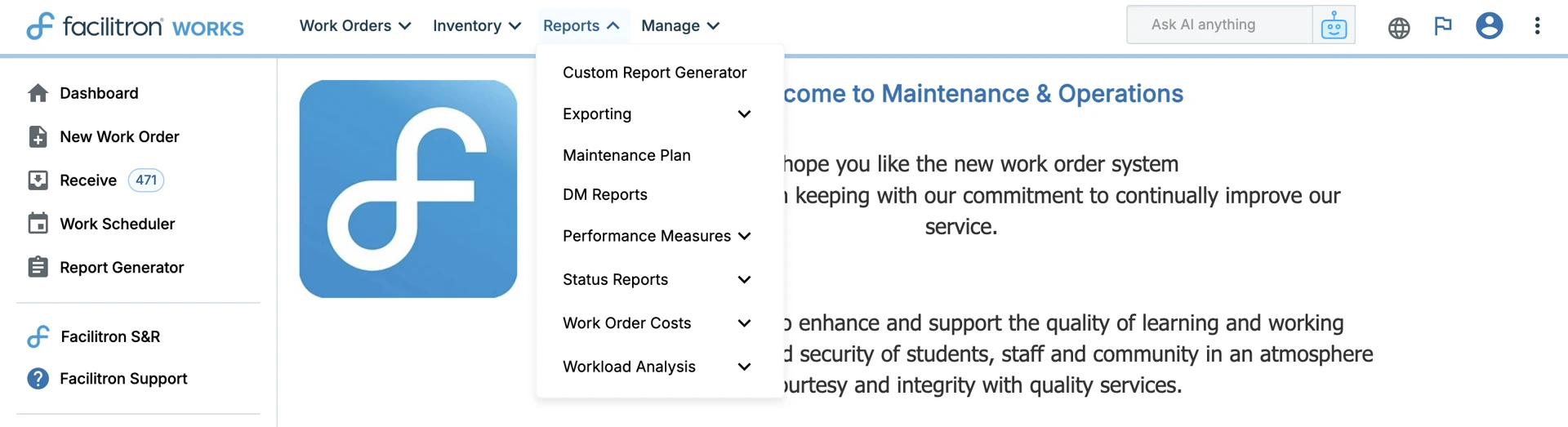
Reports can be found by clicking open the Reports tab at the top of your screen. Above is an Order Administrator/Order Processor’s view of reports. After enough data has been collected in Works, the various canned reports are grouped into a Custom Report Generator, Data Export Tool, Maintenance Plan, Performance Measures, Status Reports, Work Order Costs, and Workload Analysis. Once sufficient data is available, users can run the various Status, Costs, and Workload Analysis reports.
Please note that some reports are only available to select roles, and it is noted below which reports are accessible to whom. To jump to a specific section, use the corresponding link below:
- Custom Report Generator
- Data Exporting
- Maintenance Plan
- DM Reports
- Performance Measures
- Status Reports
- Workload Analysis
Custom Report Generator
This report is accessible to all roles.
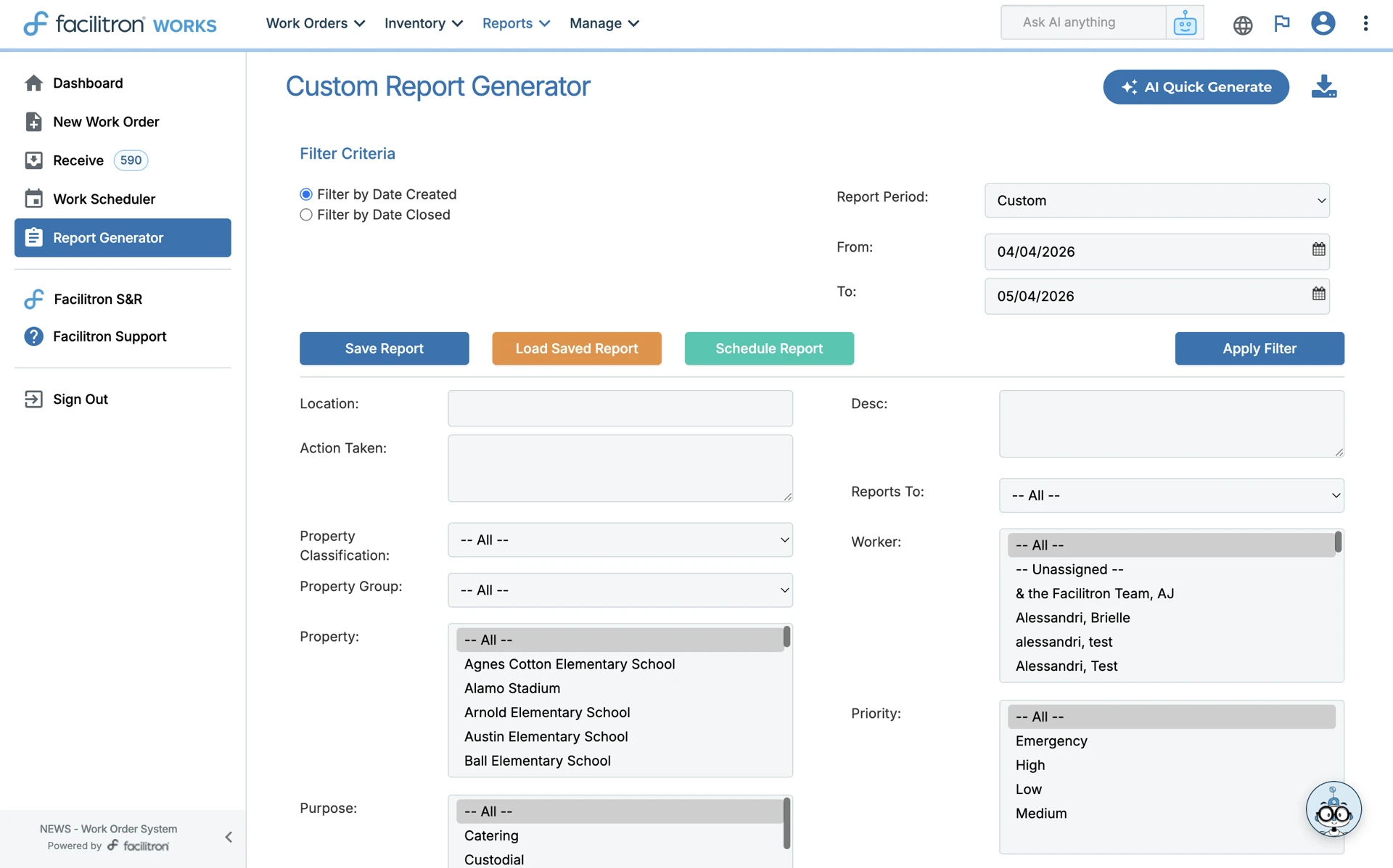
To access, go to Reports > Custom/Work Order Report Generator. You will see several search filters that can be used to customize your report, such as Date Range (either by date created or date closed), Area/Subject, Action Taken, Property, Purpose, Project, Trade, Description, Worker Assigned, Priority, Category, and Status. Please see The Custom Report Generator for more detailed information about this feature.
Data Exporting
This report is accessible to Order Administrators and Order Processors.
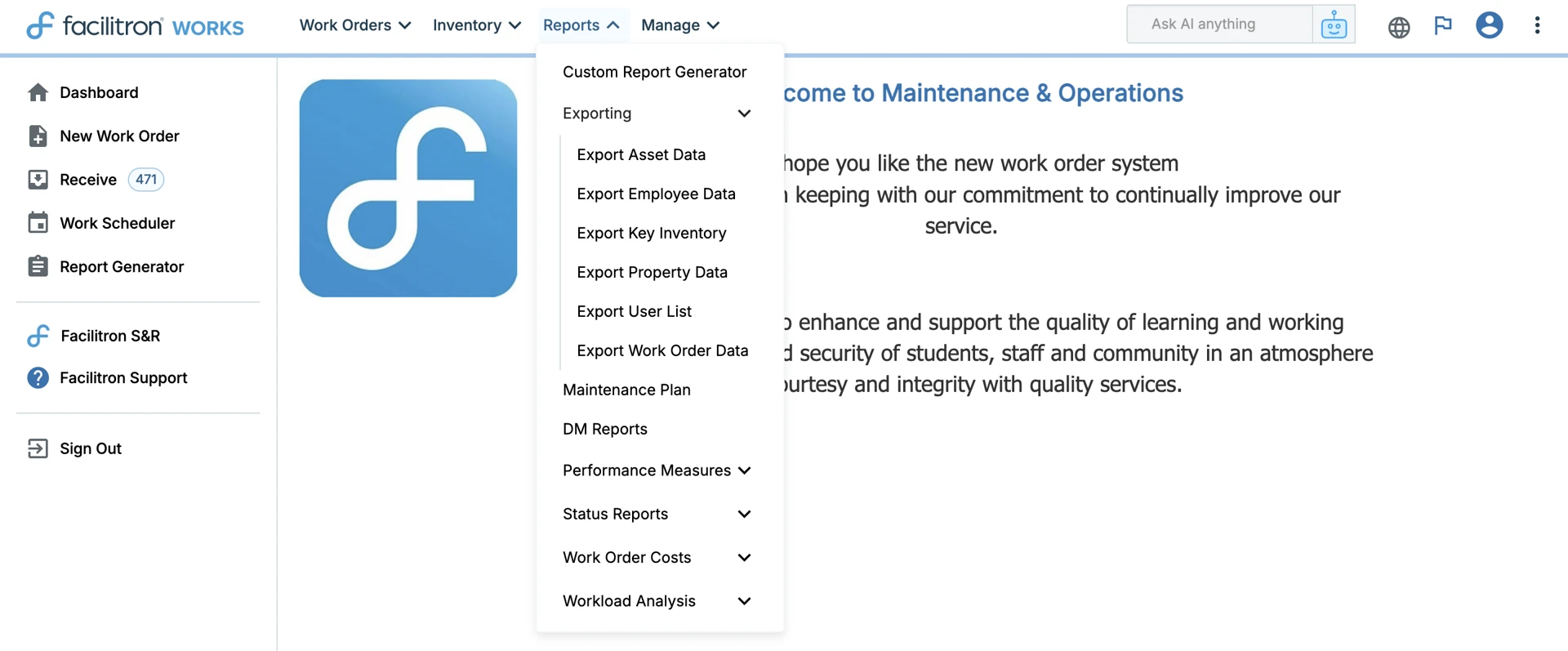
To access, go to Reports > Exporting. From this menu, you can choose to export asset information, employee, key inventory, property, user list, and work order data. Please see Exporting Data Reports for more information.
Maintenance Plan
This report is accessible to Order Administrators and Order Processors.
To access, go to Reports > Maintenance Plan. This comprehensive report and planning document delivers an essential current snapshot for optimizing your preventive maintenance strategy by providing a complete status of assets. This maintenance plan is designed to serve as a baseline preventive/predictive maintenance plan.

DM Reports
This report is accessible by Order Administrators and Order Processors.
To access, go to Reports > DM Reports. Here, you can generate pre-formatted PDF report templates based on the selected report type. Available report types include:
- Deferred Maintenance Projects by Project Number
- Deferred Maintenance Projects by School
- State Approved Five-Year Plan
- Site List
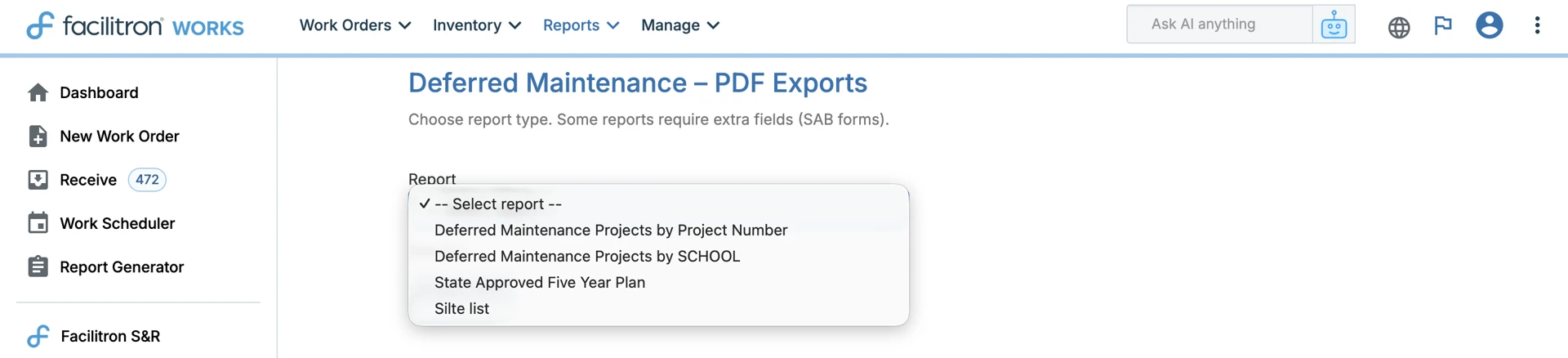
Select a report type and complete any required fields, then generate and export the report as a PDF.
Performance Measures
This report is accessible to Order Administrators and Order Processors.
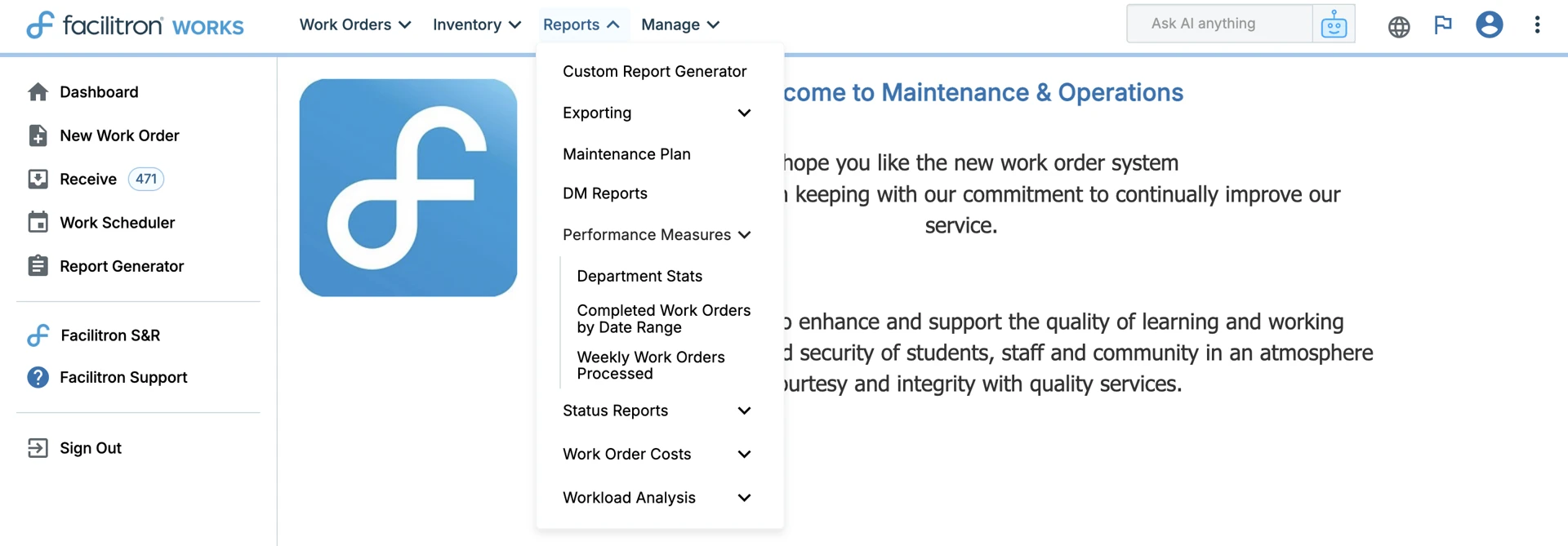
To access, go to Reports > Performance Measures. The Performance Measures report provides a quick snapshot of a department’s productivity. Here you can check Department Stats, Completed Work Orders by Date Range, or Weekly Work Orders Processed. Please see Performance Measures Reports in Works for more information.
Status Reports
These reports are accessible to Order Administrators and Order Processors. Order Approvers, Order Originators, & Maintenance Technicians have limited access.
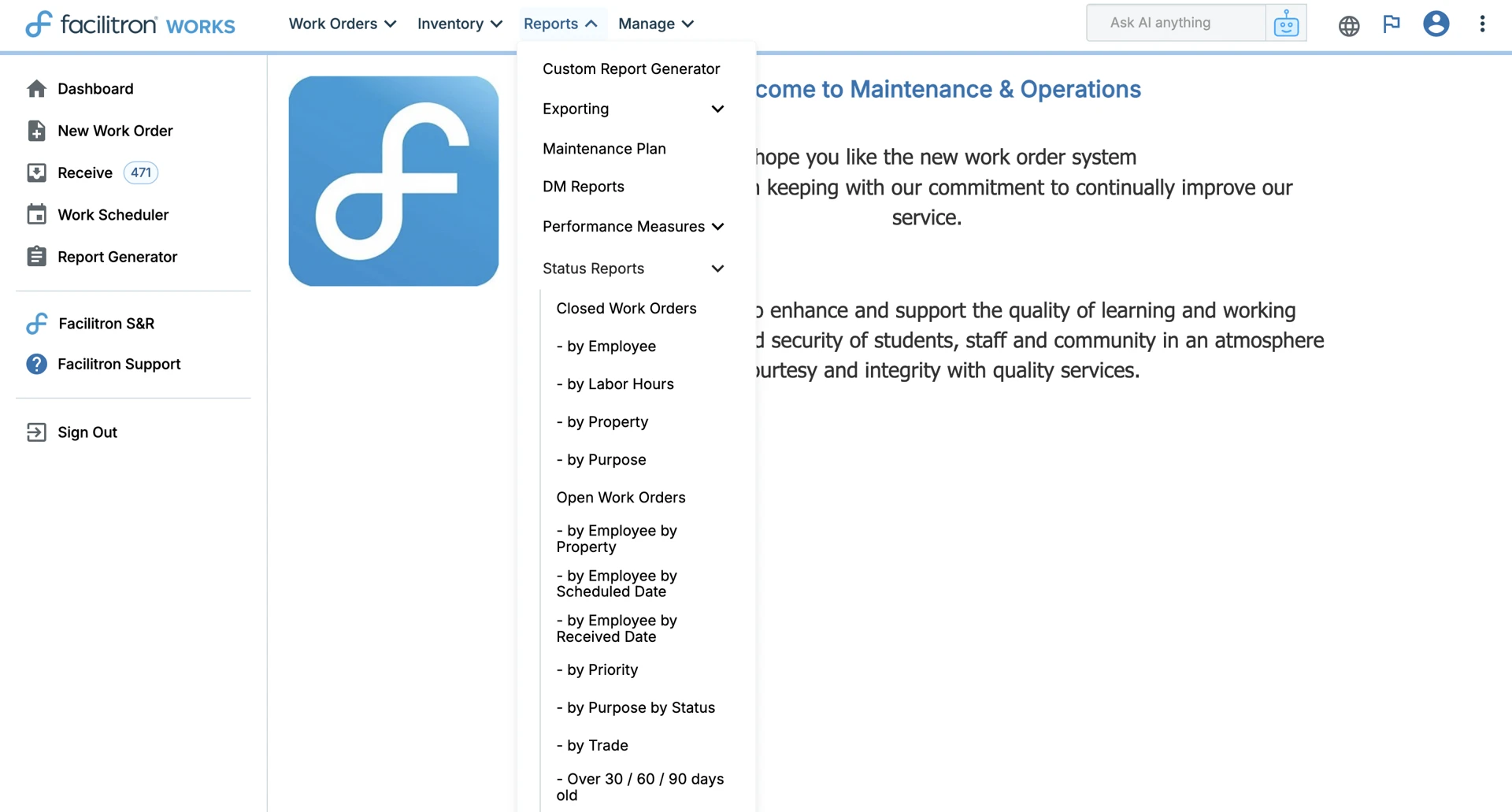
To access, go to Reports > Status Reports. These reports allow you to quickly track work order activity based on different filters and groupings. Available status reports types include:
Closed Work Orders
- By Employee
- By Labor Hours
- By Property
- By Purpose
Open Work Orders
- By Employee (Property, Scheduled Date, or Received Date)
- By Priority
- By Purpose & Status
- By Trade
- Aging Reports (Over 30 / 60 / 90 days, with optional date range)
Additional Reports
- Work Orders by Status by Trade
- Work Orders Flagged for Follow-Up
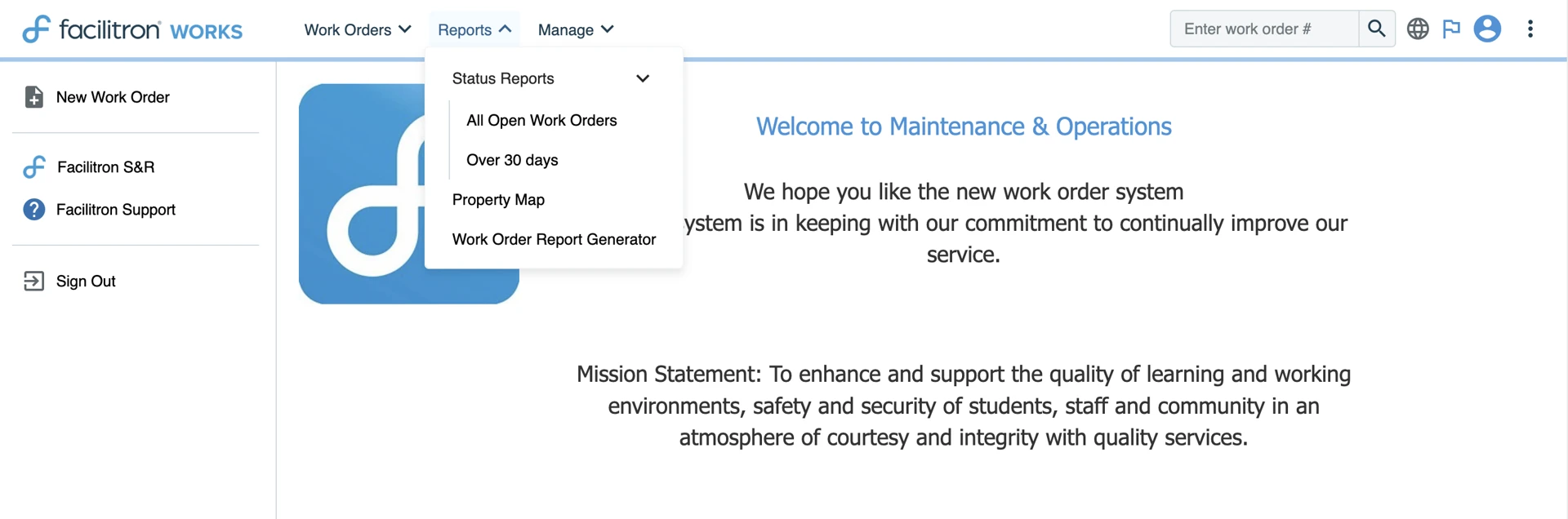
Order Approvers and Order Originators have access to All Open Work Orders and work orders open Over 30 Days within their status reports.
Maintenance Technicians have access to All Open Work Orders.

Workload Analysis
This report is accessible to Order Administrators and Order Processors. Maintenance Technicians have limited access.
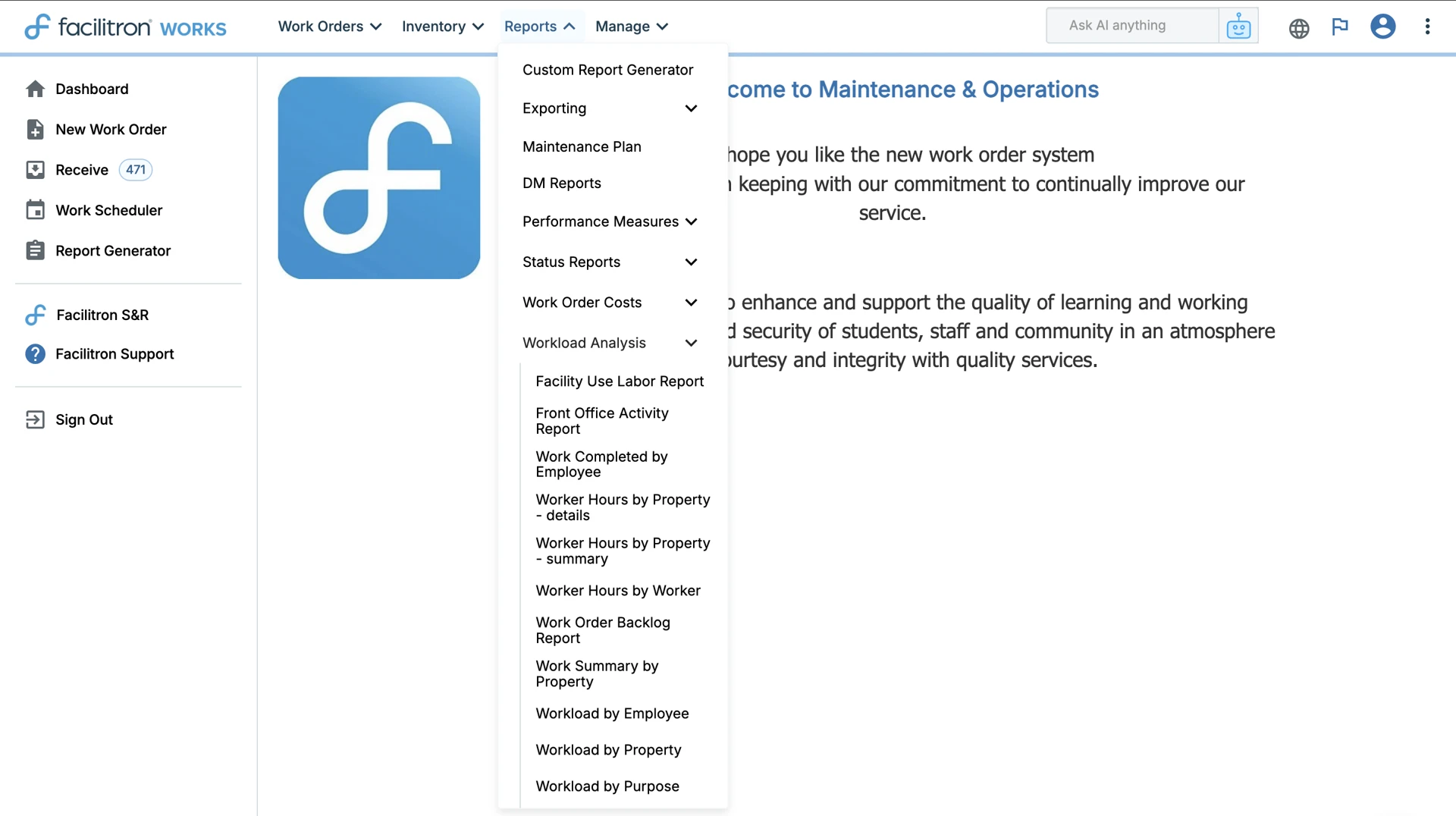
To access, go to Reports > Workload Analysis. Workload Analysis reports can be used to track work volume and labor activity across:
- Employees, Properties, Purpose, and Trade
- Worker hours (by property or worker)
- Work order backlog and summaries
- Front office activity
- Time spent on tasks
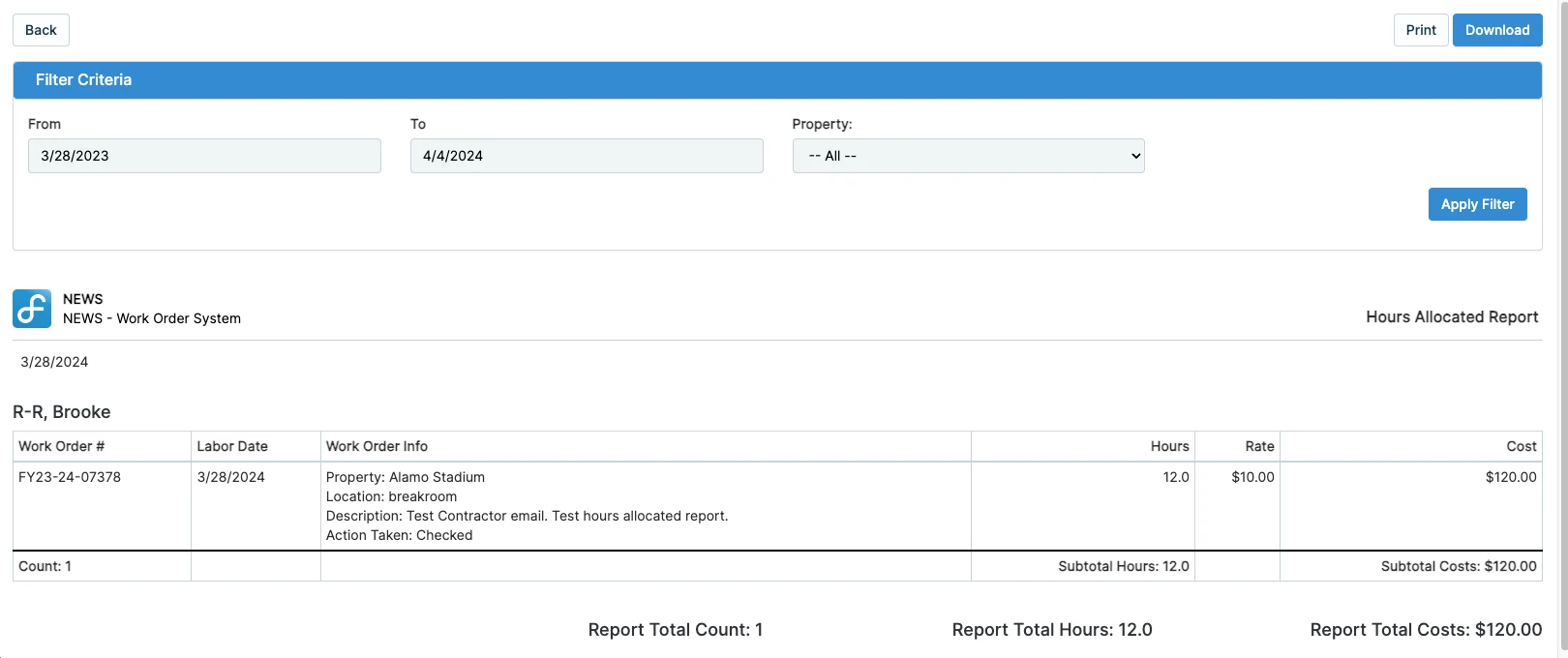
Maintenance Technicians have access to an Hours Allocated Report. This shows a sum of work orders, hours, and costs at any property for any closed work order within a selected time period.

 For additional assistance, please reach out to Facilitron Support at (800) 272-2962, or email us at support@facilitron.com.
Was this article helpful?
That’s Great!
Thank you for your feedback
Sorry! We couldn't be helpful
Thank you for your feedback
Feedback sent
We appreciate your effort and will try to fix the article